
Industrial Assembly Review / Original EGO R9 capture guide informed by StateDiffNet assembly-error research / Sep 14, 2026
Capture the Finished Step: Assembly Review with EGO R9
Learn how EGO R9 can capture the working sequence and clear inspection views for comparing intended states, reviewing corrections, and preparing industrial training data.
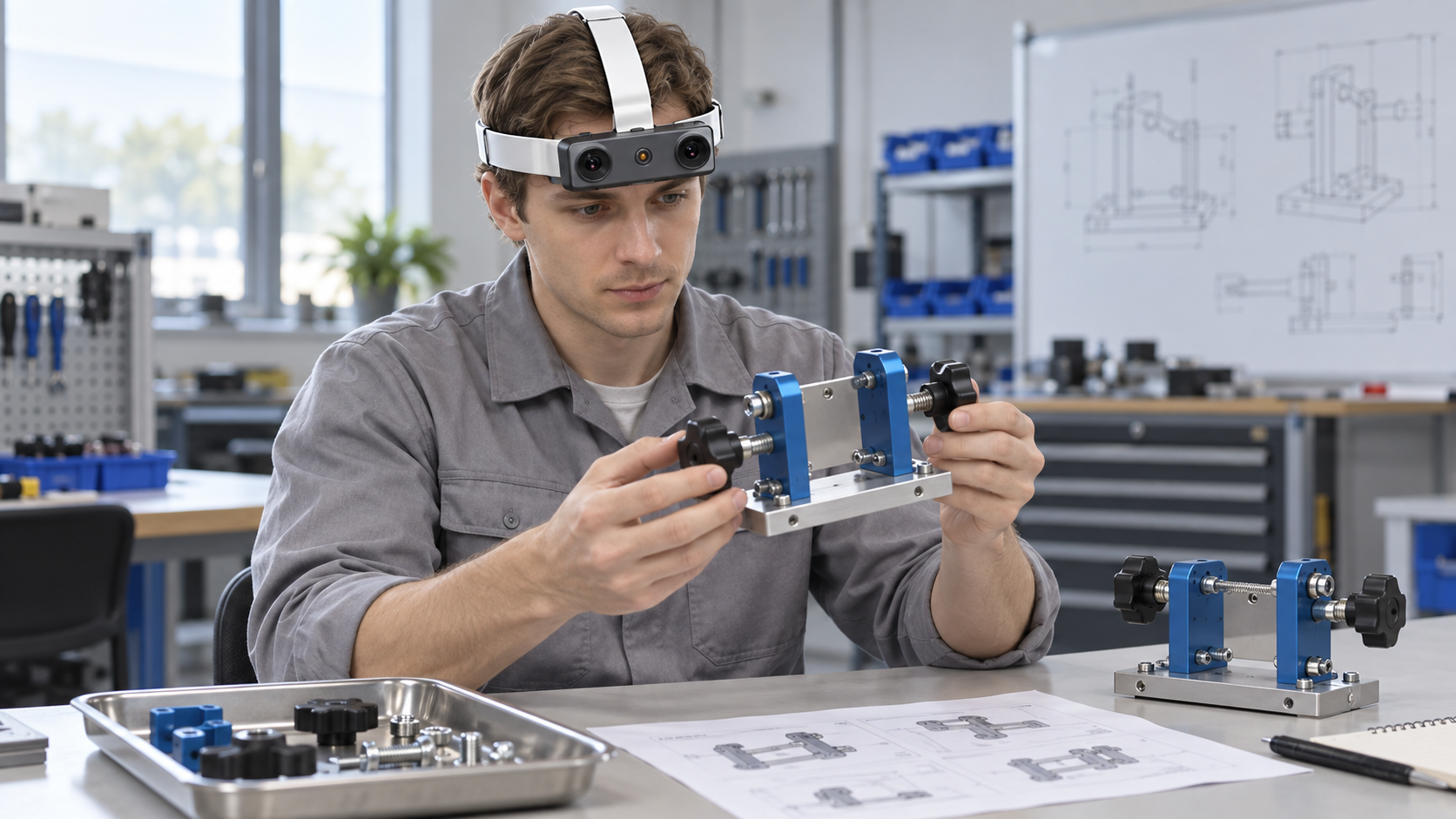
A technician places a bracket, tightens a hand knob, and moves to the next component. The motion may be easy to recognize in a video, yet the important question remains: what does the assembly look like after the hands move away? A useful first-person record preserves both the work and the resulting state. EGO R9 can support that record through a hands-free view of the bench, with enough surrounding context to connect a part selection, an installation, and a later correction.
Lehman, Schoonbeek, and colleagues explore this distinction in their 2024 paper Find the Assembly Mistakes: Error Segmentation for Industrial Applications. Their StateDiffNet method compares an intended assembly with another image from a similar viewpoint, using synthetic training and real egocentric examples. The reported examples also expose limitations, including placement errors. The practical lesson for this guide is to collect visible states and usable comparisons. R9 supplies capture hardware; the paper's learned error-localization method and experimental results are separate from the camera.
Start with one non-powered training assembly that can be inspected visually: a small baseplate, several brackets, large hand-fastened knobs, and a removable cover. Define a few observable states, such as base prepared, bracket seated, and cover installed. Let the operator complete the approved procedure at a natural pace, then pause briefly with hands clear at each review point. Record setup and corrections as well as successful steps so later reviewers can understand how the final state was reached.
R9's forehead-mounted design leaves both hands available. Its adjustable camera angle and 120-degree field of view can include the assembly, a parts tray, and the operator's reach between them. Set the angle at the actual bench height and working distance. A wide view preserves context, but a tiny feature at the edge may still be hard to inspect.
The confirmed imaging specification is 1080P global shutter at 30 FPS. Global shutter is useful when the operator turns toward a tray or rotates the workpiece, because it avoids rolling-shutter skew. During a pilot, inspect normal-speed reach-and-return actions and a deliberate still view of the completed state. Choose lighting and working distance based on readable part boundaries rather than the overall attractiveness of the video.
Optional 60 FPS may help reviewers locate brief contact or release events. Optional 1920 by 1200 is another configuration to discuss with the product team; confirm supported combinations instead of assuming both options can be used together. Keep each recording's mode in its session record. Compare the usefulness of additional frames with the storage and review workload. A stable view at a meaningful checkpoint can be more valuable to an assembly reviewer than a longer clip of an obscured action.
Create a reference set for the exact intended procedure stage. Photograph or render each approved visible state and record its version, viewpoint, and component identities. In a training fixture, separately record a correct state, an approved staged omission, and the subsequent correction; those examples make the evidence easier to review without altering production equipment.
The 6-axis IMU above 200 Hz records the wearer's acceleration and rotation, while shared clock and global timestamp support help connect head movement to the image timeline. Engineers can use verified motion data to investigate a blurred transition or find a period of reduced camera motion. Check timestamp order, gaps, axes, and measured alignment on the actual exported data before building automated frame-selection rules.
Camera-intrinsics support helps an analysis workflow preserve geometric consistency across assembly sessions. Store the intrinsics reference, coordinate convention, R9 unit identifier, selected video mode, camera angle, fixture version, and image-processing settings with each recording.
A compact annotation record can link a task identifier, intended stage, video interval, selected review frame, visible components, occluded regions, and an operator correction. Have two reviewers label a small pilot independently and compare disagreements before scaling. Include uncertain examples and report them explicitly instead of forcing every image into a confident pass or fail.
R9 records MP4 with H.265 encoding and supports T-Flash storage and a Type-C interface. Confirm the selected card, transfer method, and review software using a complete pilot session; verify copied-file hashes and check the first and last clips. Microphone support can capture an agreed explanation of a correction when useful, with speech permission included in the recording plan. File naming and the link between each clip and its assembly version remain part of the team's workflow.
For repeated sessions, check strap fit, camera-angle drift, cable clearance, and comfort while reaching across the bench. R9's replaceable strap and external-battery support are practical for shared adult training setups. The specification states approximately five working hours with an external battery; measure endurance with the actual mode and card before planning a shift. Keep the recording arrangement compatible with site work rules and protect proprietary drawings or unrelated screens from accidental capture.
The proposed acceptance exercise is simple: record one complete assembly, several unobstructed checkpoints, and a permitted training correction; then ask whether a reviewer can follow the sequence and identify the evidence available at each state. Log image usability, motion-data continuity, file integrity, and reviewer uncertainty separately. For teams preparing industrial demonstrations or inspection datasets, the useful starting point is R9's combination of hands-free capture, wide-angle global-shutter imaging, shared timing, and repeatable local recording.