
Human-Robot Co-Training / Original EGO R9 capture guide informed by NVIDIA FLARE / Sep 10, 2026
Capture What Changes: Human-Robot Co-Training Data with EGO R9
A useful demonstration preserves the full change from approach to completed placement. This EGO R9 guide uses global-shutter video, high-rate IMU data, and shared timing to capture reviewable task transitions.
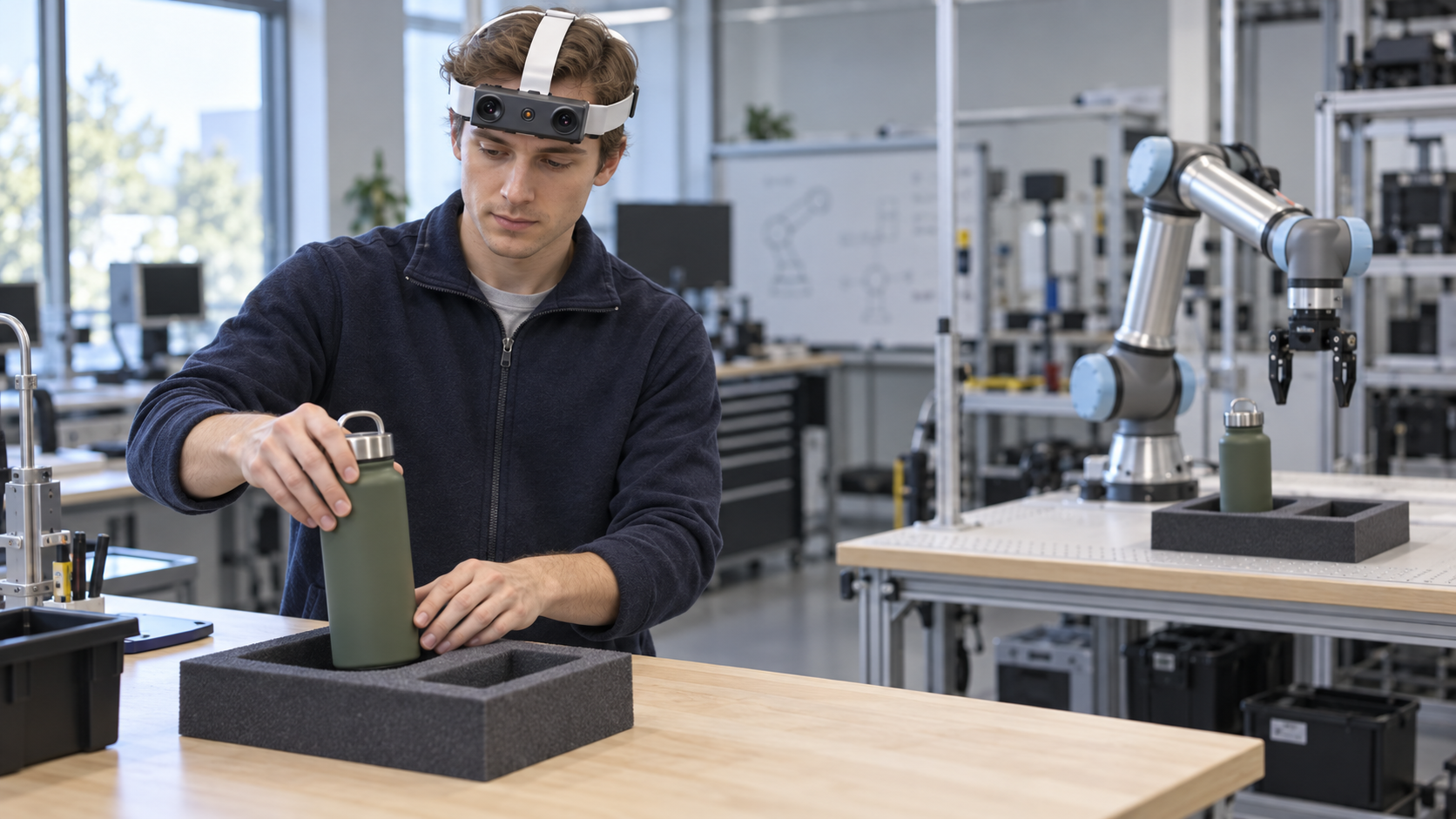
A bottle beside a tray and the same bottle seated inside it represent two visible states. The useful first-person evidence lies through the complete transition: approach, grasp, transport, alignment, release, and final inspection. EGO R9 can preserve this sequence from the participant's viewpoint.
NVIDIA's FLARE research studies how human video can contribute to robot-policy training through representations of future observations. That research motivates a practical collection question for R9 teams: does each clip clearly preserve the observable change from the starting state to the completed state?
Start with a compact placement study. A participant transfers several objects into defined destination trays, including careful realignments and successful corrections. Record a settled view before contact and after release so the beginning and outcome remain easy to identify.
R9's forehead-mounted design leaves both hands available. Its adjustable camera angle and 120-degree wide-angle lens can cover the supply area, the hand path, and the receiving tray in one frame. Set the view at the participant's actual working distance and test the nearest and farthest placements.
The confirmed standard imaging configuration is 1080P global shutter at 30 FPS. Global shutter helps preserve object edges, fingertips, and tray boundaries during quick head turns and lateral transfers. Optional 60 FPS and optional 1920 by 1200 configurations can be evaluated for the target task.
The integrated 6-axis IMU samples above 200 Hz. Shared clock support and global timestamps connect the head-motion record with the image sequence, helping reviewers locate approach, release, inspection, and correction intervals.
Create event labels for settled start, approach, grasp, transport, alignment, release, settled result, and correction. Keep the original global timestamps through clip extraction and retain a mapping from each labeled segment to its source recording.
Camera-intrinsics support helps preserve the correct imaging configuration. Store the intrinsics reference, R9 unit identifier, selected video mode, camera angle, lighting, task version, and object set with every session.
R9 records H.265 video in an MP4 container and supports T-Flash storage and Type-C connectivity. Test recording, playback, copying, checksum verification, and a disposable interrupted-session recovery before collecting a larger task set.
The replaceable strap and external-battery support suit repeated demonstrations. The specification states approximately five working hours with an external battery. Measure session duration, strap position, camera-angle consistency, storage use, and file integrity with the chosen configuration.
For an R9 evaluation, bring a representative tray task and a definition of a complete, reviewable transition. Hands-free wide-angle capture, global-shutter imagery, high-rate head-motion sensing, and shared timing give teams a practical foundation for human-video co-training datasets.