
Driver Behaviour Datasets / Original EGO R9 guide; research context from the DCPT dataset / Sep 22, 2026
Driver Takeover Dataset: First-Person Capture with EGO R9
Plan driver takeover dataset capture with EGO R9 video and 6-axis IMU data. Learn simulator setup, event timing and manual annotation steps.
How can EGO R9 capture a driver takeover dataset?
- Record a complete simulator episode with EGO R9, retaining the activity before the takeover request and the visible return to steering.
- Choose the R9 1080P configuration: standard 30 FPS or optional 60 FPS, with global-shutter imaging.
- Retain the R9 6-axis IMU data sampled above 200 Hz, together with the recording timestamps.
- Have reviewers mark the visible request and hand-to-wheel actions; archive human annotations with the original video and motion data.
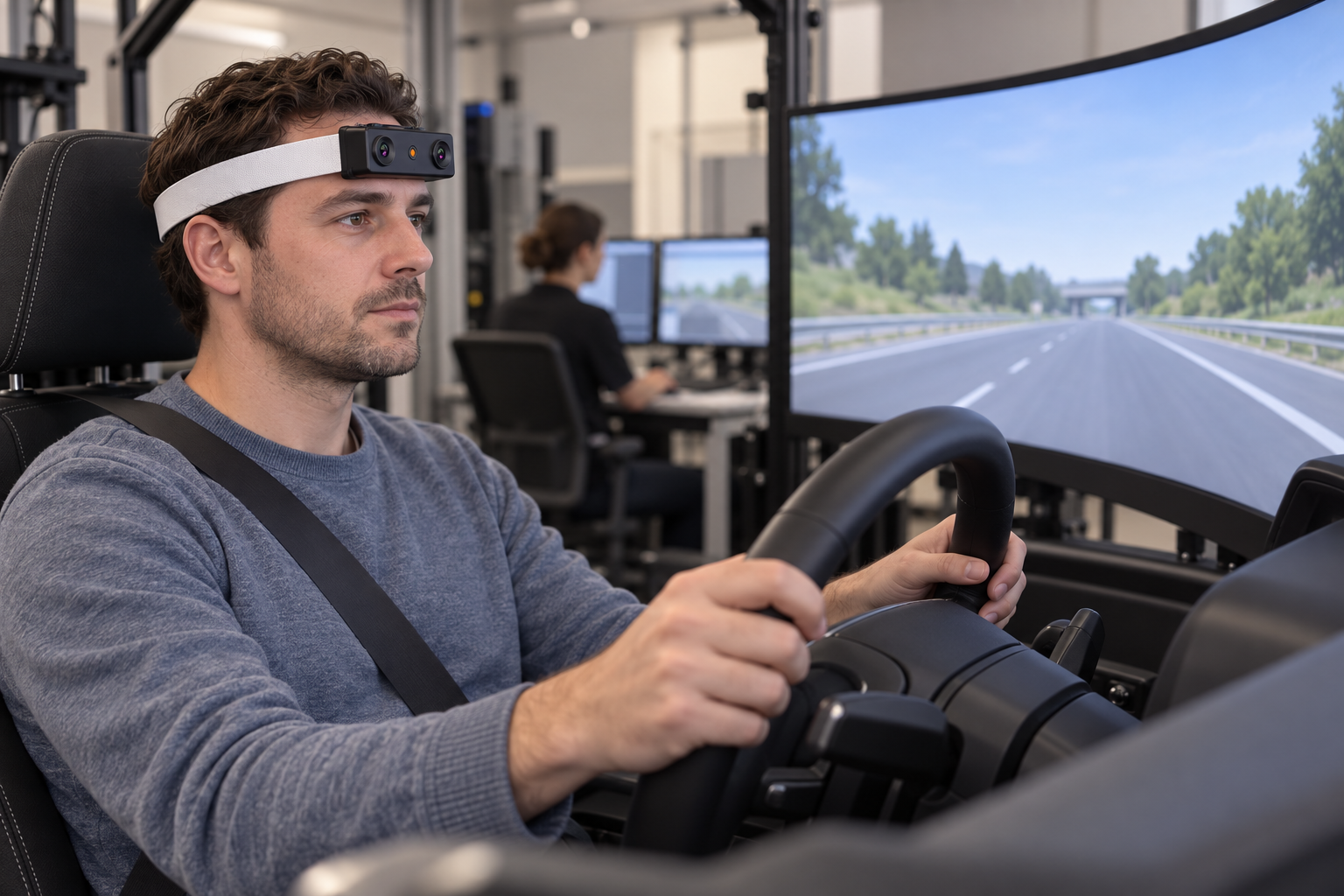
A driver takeover dataset records the sequence around a request to resume control in a driving simulator. A takeover episode contains more than the moment a driver touches the steering wheel. In a driving simulator, the participant may first turn toward the road display, bring a hand back to the wheel, and settle into the next steering action. Worn on the forehead, EGO R9 provides a first-person recording of this changing view. Organizing the recording around the takeover request lets researchers review the visible sequence before, during, and after the return to driving.
The DCPT dataset by Hongyu Hu and colleagues provides research context for this topic. Its public Zenodo record describes driver data collected around takeover requests in L3 scenarios, including first-person recordings. This original article develops a practical R9 capture workflow for stationary simulator sessions. The dataset motivates the event-centred organization; the R9 specifications used here come from the current EGO R9 product information.
Set up the R9 first-person view in a driving simulator
Start with a repeatable seated setup. R9 has a 120-degree wide-angle lens and supports camera-angle adjustment. Record a short trial with the participant looking toward the simulated road and returning their hands to the wheel. Review the actual framing of the display, wheel, and hands, then adjust the camera angle for the planned sequence. Note the seat position and camera setting in the session record so later takes can reproduce the intended view.
Choose the R9 video configuration for takeover recording
R9 records 1080P video at a standard 30 FPS, with 60 FPS available as an optional configuration. Select the recording configuration before the session and include it in the capture log. For a takeover study, review a trial containing the expected head turn and hand return, then use that trial to decide whether the selected frame rate supplies the visual sampling needed for the annotation plan. Keep the original recording through the complete transition.
Global-shutter imaging is relevant when the participant turns toward the road display or reaches for the wheel. R9 uses a global shutter, exposing the image pixels simultaneously within each frame. In the simulator, check the recorded wheel, hands, and display under the actual lighting and screen conditions. Review these moving parts at the intended camera angle before collecting a full set of episodes.
Capture head-worn motion with the 6-axis IMU
The integrated R9 6-axis IMU samples above 200 Hz. During the same episode, its inertial data records movement of the head-worn unit as the participant turns or shifts position. Retain those samples alongside the video so an analyst can examine motion around the visible transition. Record the unit identifier and the session configuration with each take, keeping the motion data associated with the participant’s corresponding first-person recording.
Preserve R9 timestamps and define the takeover event
R9 supports a synchronized shared unified clock and global timestamps. These documented timing features support the organization of its image and motion data on a shared capture timeline. Preserve the original timestamps when preparing clips and retain each clip’s relationship to the full recording. The analyst can then revisit the inertial samples associated with a selected section of the video.
Define the takeover event in the research protocol. For example, the simulator can present a visible request within the recorded scene; a reviewer can mark its first visible frame and use that point as the episode reference. Save the reviewer’s event time in the annotation file. Select a consistent interval before and after that event according to the study plan, with enough context to retain the preceding activity and the return to steering.
Annotate visible driver actions around the request
Build annotations from what appears in each recording. A reviewer might mark the hand entering the wheel area, the first visible contact with the wheel, and the start of an observable steering movement. Document the rule for each label and review ambiguous boundaries manually. Keep these human-written labels in a separate file linked to the source timestamps, preserving the distinction between recorded R9 data and the research team’s interpretation.
Archive video, motion data and session notes
R9 supports MP4 video, H265 encoding, and T-Flash storage. At the end of a simulator session, check that the saved video opens and covers the intended event window. Archive the original recording with its associated inertial data, timestamps, configuration notes, and annotations. Use a consistent session-and-trial naming scheme, and inspect a sample from each take before preparing the dataset release.
Build a reviewable driver behaviour dataset
An organized R9 takeover collection preserves the view from the participant’s position together with the motion of the head-worn camera. The repeatable setup, global-shutter video, above-200-Hz IMU, and documented timing support give the team a concrete capture foundation. Complete episodes and carefully defined human annotations make that material easier to review when studying how the visible return to driving unfolds.