
Robot Learning Data / EgoDex research and EGO R9 product specifications / Nov 6, 2026
Egocentric Camera for Robot Learning: R9 Demonstration Episodes
Use an egocentric camera for robot learning with EGO R9. Plan demonstration episodes, preserve video and IMU timing, and prepare human-reviewed labels.
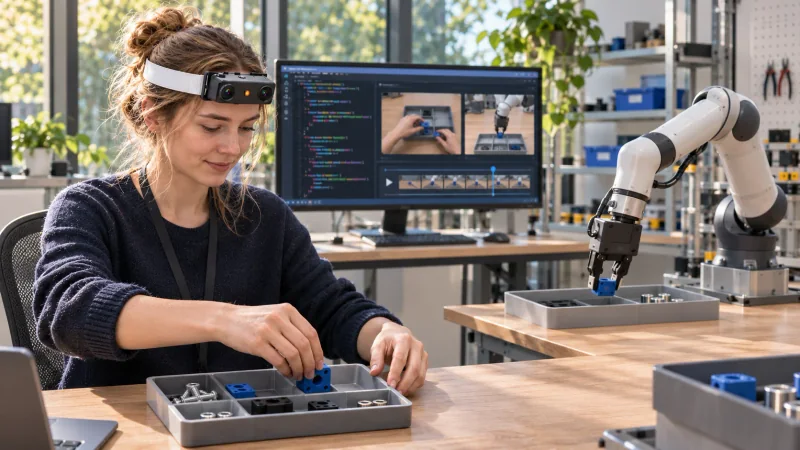
How can R9 support robot-learning demonstration collection?
- Use R9 to record the wearer’s viewpoint throughout a defined demonstration episode.
- Keep the video, available IMU records and timing with a session identifier.
- Have the research team review and label task phases for its learning workflow.
An egocentric camera for robot learning records a human demonstrator’s view of an activity as it unfolds. EGO R9 brings head-mounted global-shutter video, a six-axis IMU and shared timing to that collection. A well-defined episode and a clear labeling plan help a research team turn the recording into an understandable demonstration record.
Define an episode with a clear start and finish
Start by describing one task in terms of an initial arrangement, a sequence of observable steps and a finishing condition. Give each demonstration a session and episode ID. Record the object names and task wording in a simple manifest so that a reviewer can understand what the wearer was attempting when opening the video later.
For a tabletop manipulation study, position the relevant objects in the planned starting arrangement. Ask the demonstrator to pause briefly, perform the specified sequence at a natural pace and finish with the workspace in the intended end state. Repeat the task as separate takes, retaining each take as its own episode.
Record first-person context with R9
The published R9 specification describes 1080P global-shutter video at 30 frames per second and a 120-degree lens. Use a short pilot to adjust the camera angle and review whether the hands, objects and task area remain visible at the important moments. The product page also lists optional video configurations; record the configuration used for the session.
R9 has a six-axis IMU specified above 200 Hz, plus shared-clock and global-timestamp support. Preserve the timing and available inertial records alongside the video and the episode identifier. The camera viewpoint changes with the wearer’s movement, and those records give the research team a time reference for examining that movement.
Keep timing and episode identity together
The R9 product page lists H.265 MP4 video and T-Flash storage support. After a collection, organize the recordings by session and episode, note the task and capture settings, and check that the intended start and finish are present. Maintain the original files as the source for later review.
Research on EgoDex explores learning manipulation from first-person human demonstrations and shows the value of organized task recordings. Its data and experiments belong to that research project. This guide applies the broader idea of episode-based organization to an R9 collection without attributing the research system’s results to the device.
Create labels as a separate research step
A reviewer can mark visible phases such as reach, contact, movement and release. Use the recorded timeline to attach each annotation to an interval and keep the human-written labels distinguishable from the original sensor records. Agree on a short label vocabulary before annotation, then review uncertain boundaries as a team.
For learning experiments, the research team can associate each episode with its task description, reviewed labels and collection notes. If a project requires robot-specific action labels, those labels are prepared and checked in the team’s downstream workflow. Organizing complete episodes first makes that subsequent work easier to audit.
What should a demonstration episode contain?
A useful episode has a documented task, an observable beginning, the demonstration sequence and an identifiable finishing state. Review the recorded view at each boundary.
How are labels added to R9 recordings?
The research team reviews the recorded video and adds its own time-linked task or action labels. Store those labels as a separate part of the dataset.
Why retain inertial information?
R9’s six-axis IMU and shared timing add information about wearer motion to the visual record. Preserve the available data and timing with the corresponding episode.