
Highway Construction / Original EGO R8 guide; construction-record context from FHWA / Sep 21, 2026
Building the Road: Highway Construction Workflow Capture with EGO R8
Document a highway construction workflow from the engineer’s viewpoint. EGO R8 combines synchronized dual global-shutter images, selectable IMU sampling, and unified timestamps for organized records of site demonstrations and construction handovers.
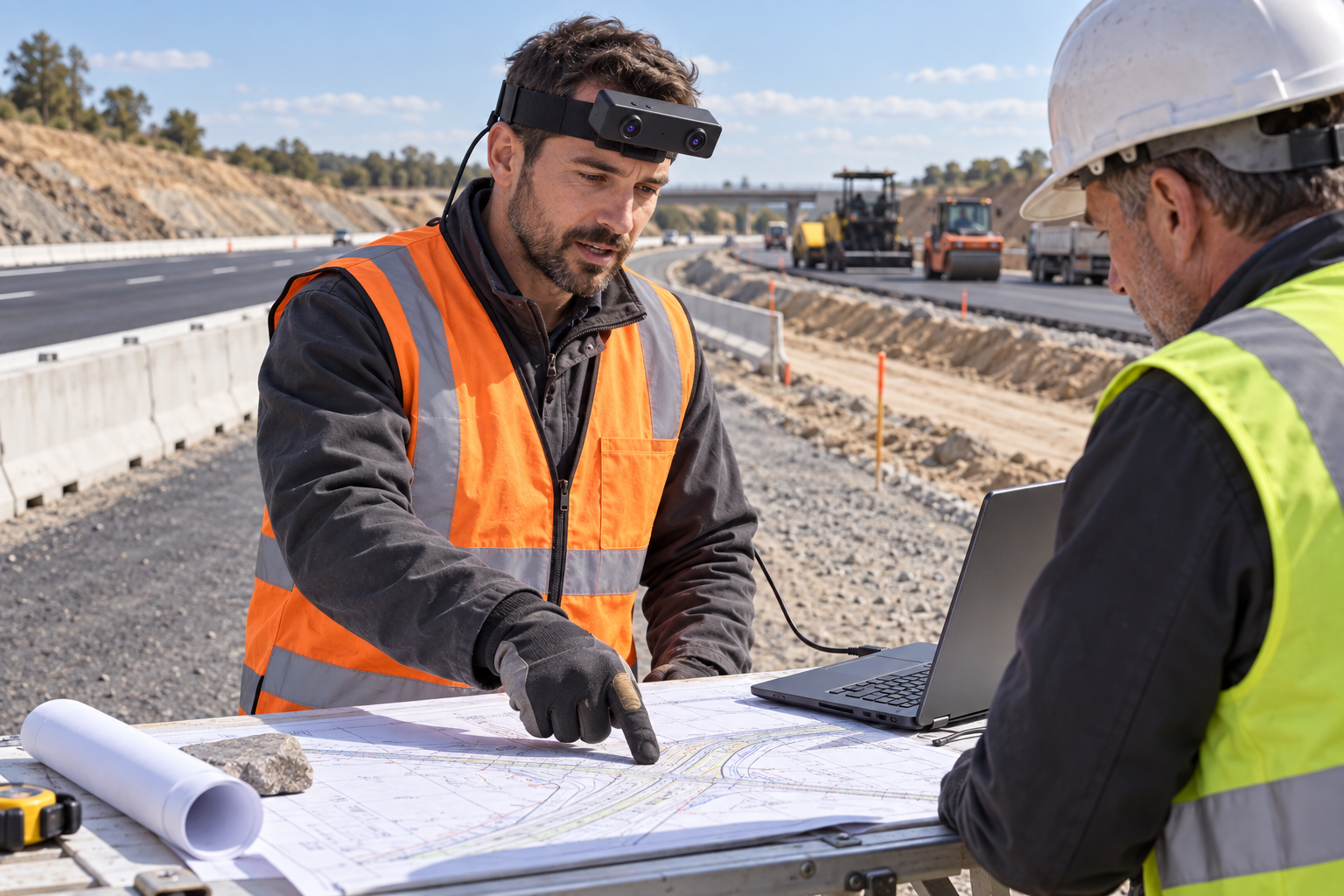
Highway construction brings together a sequence of visible tasks: reviewing a road-section drawing, identifying a prepared work area, explaining the edge of a pavement layer, and handing over the next operation. EGO R8 can capture a planned demonstration of these tasks from the engineer’s viewpoint. A useful session follows one defined activity, such as a briefing on pavement preparation, and keeps the drawing, pointing hand, and relevant road section in context.
FHWA’s Construction Program Management and Inspection Guide emphasizes recording specific site observations promptly and using visual material to explain construction details. This provides the editorial starting point for the R8 workflow: organize a recording around a named road section, a visible task, and the notes that explain it. The camera specifications used here come from the R8 manufacturer document and current product page.
Begin the R8 session with a defined subject: a prepared base at one road section, a pavement-edge detail, or a demonstration of how a tool is positioned. At the field table, capture the drawing and the engineer’s pointing gestures, then capture the agreed nearby detail from the designated recording position. Review a trial take for framing before the complete visual demonstration. Save the section identifier, date, activity, and take number with the files, and have the engineer add a short written observation while the task is fresh.
R8 uses dual global-shutter cameras. Each sensor exposes its image pixels simultaneously, a useful capture characteristic when the engineer points across a drawing or turns toward the road base. The two camera views retain the nearby hand movement and the surrounding construction scene. Review a short take under the actual site lighting before proceeding, paying attention to the visibility of the drawing, pavement edge, and tools used in the demonstration.
The R8 cameras share a common hardware trigger or shutter signal. During a demonstration of an edge detail or the placement of a straightedge, that synchronization captures corresponding left and right views of the same moment. Preserve the paired images and their frame order when exporting the take. Reviewers can select a moment in the visual demonstration and examine the two views together, with the source pair retained in the session archive.
R8’s built-in 6-axis IMU offers selectable sampling at 100, 200, or 500 Hz. The inertial samples describe the camera wearer’s movement while looking down at a construction detail, turning toward the road section, or returning to the drawing. Choose and record the IMU setting before the session. Unified hardware timestamps associate the image frames with those motion samples, giving later reviewers a common timeline for the changing viewpoint.
The R8 workflow uses a USB 2.0 connection to a capture host. Its specified supply is 5 V with a maximum current of 320 mA. For a stationary site briefing, place the host on the field table and arrange the cable around the planned recording position. Verify that the recording remains continuous through the intended head turns and hand demonstrations. The manufacturer’s SDK/API provision gives the integration team a documented basis for connecting the device to its capture software.
Select the delivered video profile before collecting the highway footage. The main manufacturer table lists 1600 × 1200 at 30 FPS; the USB table separately lists MJPG at 1920 × 1080 and 30 FPS, and YUY2 at that resolution and 15 FPS. Both USB formats are listed at 1280 × 720 and 640 × 480 at 30 FPS. Confirm the delivered resolution, format, and frame-rate combination against these differing entries and save it with the construction-session record.
Per-unit calibration support includes camera intrinsics, distortion coefficients, and extrinsics where applicable. Keep the supplied R8 calibration files associated with the device and the highway recording session. When a team prepares image pairs for subsequent stereo or visual-inertial processing, that association preserves the camera information behind the views of the road base, tools, and construction details.
After the demonstration, manually label the briefing, pointing sequence, tool placement, and handover gestures. Give each selected clip a short description of what is visible and link it to the engineer’s notes for that road section. Keep the original paired streams, inertial samples, timestamps, settings, and calibration files together. This turns the R8 recording into an organized visual companion to the construction team’s account of the demonstrated task.
References: FHWA, Construction Program Management and Inspection Guide, Chapter 4, “Collecting and Evaluating Data” and reporting guidance — https://www.fhwa.dot.gov/construction/cpmi0407.cfm . EGO R8 product specifications — https://egocamera.com/r8.html .