
Construction Carpentry / EGO R8 / U.S. Bureau of Labor Statistics — Carpenters / Oct 12, 2026
From Timber to Frame: First-Person Carpentry Capture with EGO R8
Capture a carpenter's view of timber layout, sawing and frame positioning with EGO R8: synchronized global-shutter stereo video and a shared camera–IMU timeline.
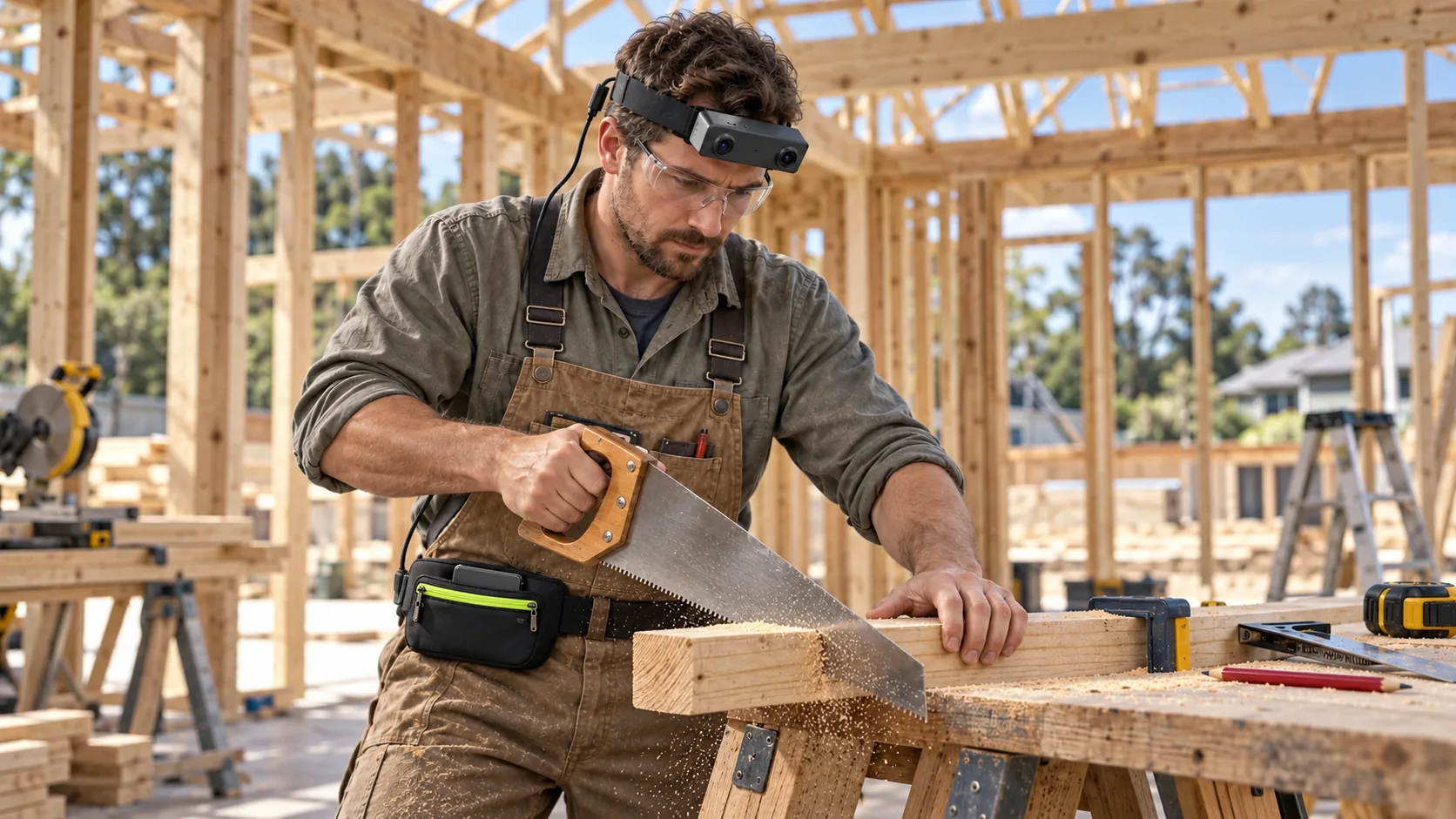
How can R8 record a carpenter's house-building workflow?
- Follow timber measuring, marking, sawing and positioning through corresponding head-mounted R8 views.
- Use dual global-shutter sensors and a common hardware trigger to capture synchronized stereo observations.
- Keep 100, 200 or 500 Hz head-unit IMU samples on the shared camera–IMU timeline.
- Associate the recordings with delivered calibration, component identifiers and human-reviewed operation labels.
Building a timber house involves a sequence of visible decisions at the workpiece: where to place the measure, how to mark a cut, when to begin sawing and how to orient a prepared member at the frame. A carpenter wearing EGO R8 can record the work from the head-mounted camera's viewpoint. This proposed capture workflow follows a timber component from the cutting bench to its position in the building, with paired stereo recordings and inertial data kept together for later review.
A documented construction and hand-tool workflow
The U.S. Bureau of Labor Statistics describes construction carpentry as work that includes measuring, cutting and shaping materials, followed by constructing and installing building frameworks. Its occupational guide provides the building-site context for this article. Research on first-person tool use adds a useful data-organization perspective: the Ego-Bi project's official repository includes sawing and other hand-tool actions, with action and object–tool labels. Here, the R8 collection is organized around the carpenter's own timber-working sequence.
Follow one timber component through the task
Select a short building task with a clear beginning and end, such as preparing a timber member and bringing it into position at a wall frame. Use a component identifier to connect the measuring, marking, cutting and positioning takes. For each R8 recording, note the operation, workpiece and tool. Keeping these simple notes with the footage makes it possible to follow the same piece of timber through the chosen construction task.
Frame the hands, saw and workpiece
Before recording the main task, inspect a short R8 take at the actual workbench. Its fixed-focus lenses have a documented horizontal field of view of 115° and vertical field of view of 80°. Check the saved left and right images while the carpenter looks at the measuring mark, the saw contact area and the prepared timber. Set the collection's framing around the hands, tool and workpiece visible in both views, then use that framing for subsequent takes.
Capture corresponding views during sawing
During a sawing take, the tool changes direction repeatedly while the carpenter's head also moves. R8 uses two global-shutter sensors, whose pixels expose simultaneously, and the cameras share a common hardware trigger or shutter signal. These documented capture features provide synchronized left and right observations of the same operation. Retain the corresponding frame identifiers when reviewing the saw's approach, its movement through the timber and the end of the cut.
Keep stereo calibration with the recordings
The paired views are useful when a reviewer needs to inspect how the carpenter positions a hand, saw and workpiece within the captured scene. R8's manufacturer specification includes unit-specific camera calibration data: intrinsic parameters, distortion coefficients and extrinsic parameters where applicable. Keep the supplied calibration files with the R8 unit identifier and recording configuration. Any stereo-image preparation performed by the research team can then remain linked to the source frames and the calibration used for that session.
Link head motion to the camera timeline
R8 integrates a 6-axis IMU with accelerometer and gyroscope measurements and selectable sampling rates of 100, 200 or 500 Hz. In this head-mounted arrangement, those samples describe motion at the head unit as the carpenter looks along a mark or turns toward the frame. R8 supplies unified timestamps for camera frames and IMU samples. Save the selected IMU rate and retain this shared time reference when reviewing a particular interval of the timber-working sequence.
Label the operations in the saved footage
Organize the recorded operation into human-reviewed intervals such as measuring, marking, sawing, inspecting the cut and positioning the component. For each interval, attach a start time, end time, component identifier and tool label. The Ego-Bi project's use of action and object–tool labels supports this way of organizing first-person tool-use footage. In an R8 collection, the team creates these labels while examining the saved recordings, retaining the continuous take so transitions between operations remain available for review.
Prepare the R8 recording connection
R8 uses USB 2.0 and specifies DC 5 V input with a maximum working current of 320 mA. Include the recording connection and power provision in the setup for the cutting-bench session. Record the delivered image mode in the take notes, then check a saved sample from both camera views before collecting the full task. Keep the files associated by session and component identifier as the carpenter progresses from timber preparation to the frame.
Build a reviewable carpentry capture set
For a focused carpentry collection, assemble a take index containing the R8 unit, workpiece identifier, operation order, video configuration and selected IMU rate. Retain the corresponding stereo files, timestamped IMU samples, calibration files and reviewer-created operation intervals. This organization gives a researcher or technical instructor a way to revisit a marked cut, examine the visible hand–tool interaction and follow its place in the recorded building sequence.
Plan a focused timber-working pilot
An R8 pilot can begin with one timber component and the operations needed to prepare and position it. Review the framing at the bench, verify the corresponding left and right recordings, and check that the operation notes point to the intended time intervals. The result is a clearly organized first-person record of carpentry work, built around R8's documented stereo, synchronization and inertial capture features. Discuss the chosen building task and recording configuration with the EGO team when planning a collection.
Application source and R8 specifications
U.S. Bureau of Labor Statistics — Carpenters: tasks, tools and building frameworks