
Robot Demonstration Capture / Original EGO R8 application guide; MECCANO and EgoProceL research references / Oct 14, 2026
Human Demonstration Data for Robotics: Assembly Step Sequences with R8
Collect human demonstration data for robotics with EGO R8: synchronized stereo video and IMU timing for reviewing assembly steps, parts and tool changes.
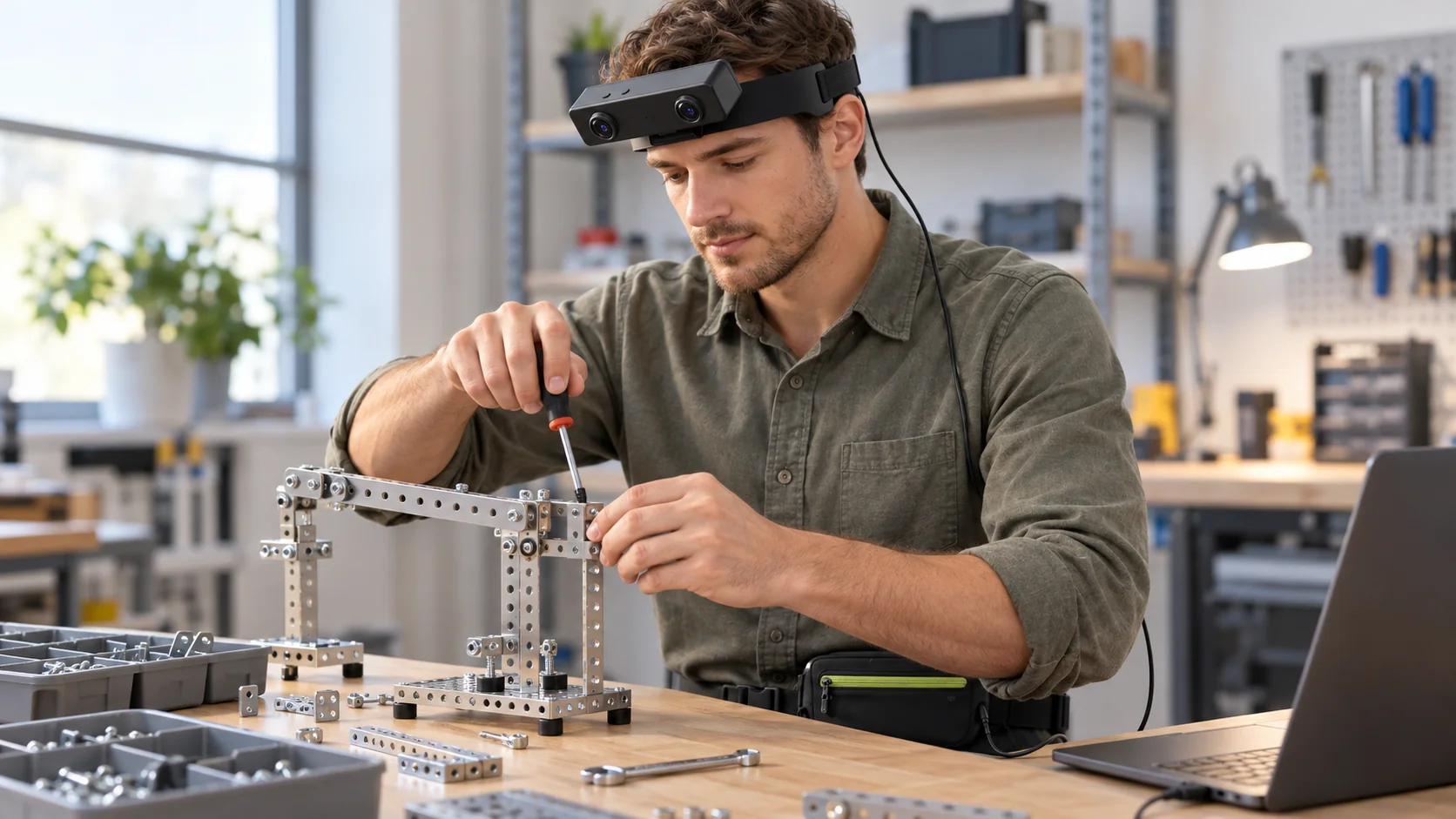
How can R8 record assembly-step sequences for robotics research?
- Record part selection, tool engagement and operation changes as one continuous R8 assembly episode.
- Dual global-shutter cameras and common hardware triggering provide corresponding stereo observations for step review.
- The 6-axis IMU offers 100 / 200 / 500 Hz sampling, with unified camera and IMU timestamps.
- Researchers label the parts, tools, action intervals and performed step order in the recorded demonstrations.
Explore EGO R8 specifications and manufacturer documentation
Human demonstration data for robotics needs a clear account of how an assembly progresses: which component is selected, when the tool engages it, and where the next operation begins. EGO R8 supplies head-mounted stereo recordings through dual global-shutter cameras, common hardware triggering and unified camera–IMU timestamps. This guide proposes an R8 collection organized around assembly-step sequences, with the research team marking the order of actions and linking each interval to the part and tool involved.
Research basis for action and step annotations
Two published projects ground this approach. MECCANO, by Ragusa, Furnari and Farinella, records first-person model-motorbike assembly and provides action and active-object annotations, including components, a screwdriver, a wrench and the partly built model. EgoProceL, introduced by Bansal, Arora and Jawahar at ECCV 2022, includes toy-bike assembly in its study of key steps and their order. These studies motivate the proposed annotation workflow. The R8 capture features described here come from its manufacturer specification and current product page.
Define operations and the actions inside them
Before recording with R8, define the task at two levels: the assembly operation and the smaller actions within it. For example, joining two model components can contain selecting a part, aligning the pieces, engaging a fastener and turning the screwdriver. Agree on those labels with the demonstrator and give each physical joint a session identifier. A reviewer can then tell whether a later tool movement continues work on the same joint or begins the next operation.
Follow the component from tray to joint
Keep the parts tray and working joint within the R8 recording as the demonstrator selects and positions a component. R8 has fixed-focus optics with a listed horizontal field of view of 115° and vertical field of view of 80°. Check both images in the actual seated working posture, including the reach into the tray and the return to the assembly. This framing check supports a specific annotation question: which visible component moved from storage into the active operation?
Locate tool engagement in the paired views
Tool engagement provides another useful step boundary. One hand may stabilize the partly assembled model while the other brings the screwdriver to the fastener. R8's dual global-shutter sensors expose the pixels within each sensor together, and the common hardware trigger or shutter signal synchronizes the cameras. Review the corresponding stereo frames when marking tool contact, changes of grip and tool withdrawal. The two recorded views keep those observations tied to the same captured stage of the operation.
Link each step label to its original interval
Use the R8 camera timestamps to attach each reviewed label to its original interval. A practical annotation row contains the episode identifier, operation identifier, action label, active component, tool, and start and end timestamps. Give corresponding left and right observations the same reviewed interval. Add a separate occurrence identifier when a person returns to a joint. This preserves the performed order and lets the research team retrieve the exact sequence behind a step label.
Associate head movement with step transitions
The wearer may turn from the assembly to the parts tray between operations. R8 specifies a 6-axis IMU with selectable 100, 200 or 500 Hz sampling and unified timestamps for camera frames and inertial samples. Retain the selected rate and the timestamped samples so a reviewer can associate the recorded head movement with the relevant video interval. The action, component and tool labels remain the research team's annotations of the visible assembly work.
Preserve repeated steps and the performed order
For repeated demonstrations, keep a consistent vocabulary for the same component and operation while retaining each episode's actual step order. A pause, another screwdriver engagement or a return to an earlier joint can occupy its own interval in the R8 recording. Reviewers can use these ordered intervals to prepare examples for procedure-learning research. EgoProceL's focus on key steps across task videos gives this organization a published basis; the proposed R8 collection team defines and reviews its own labels.
Set up R8 for the assembly recording
Prepare the R8 bench session around USB 2.0 capture and external DC 5 V power; the manufacturer lists a maximum working current of 320 mA and SDK/API delivery. Arrange the recording connection before the demonstrator handles the model, and keep the cable clear of the working hands. Save the actual capture settings with the episode identifier. A short recorded sequence from part selection through tool withdrawal establishes the framing and file arrangement for the planned collection.
Deliver a sequence-linked demonstration collection
The resulting human demonstration data for robotics package should connect each complete R8 episode to an ordered list of reviewed assembly steps. Include the paired recordings, original timing records, configured IMU samples and the team's part-and-tool annotations. This gives researchers a traceable view of how the demonstration unfolded as they prepare their learning inputs. Share the assembly task, intended capture settings and required SDK/API deliverables with the EGO team when configuring R8 for the project.
Research references and R8 specifications
MECCANO — first-person assembly and human–object interaction research
Explore EGO R8 specifications and manufacturer documentation