
Human Intention Research / Original EGO R8 guide; EgoIntent research reference / Oct 8, 2026
Human Intention Prediction from Egocentric Multi-View Video with EGO R8
Collect stereo video for human intention prediction research with EGO R8: dual global shutters, hardware sync, unified timestamps and configurable 6-axis IMU.
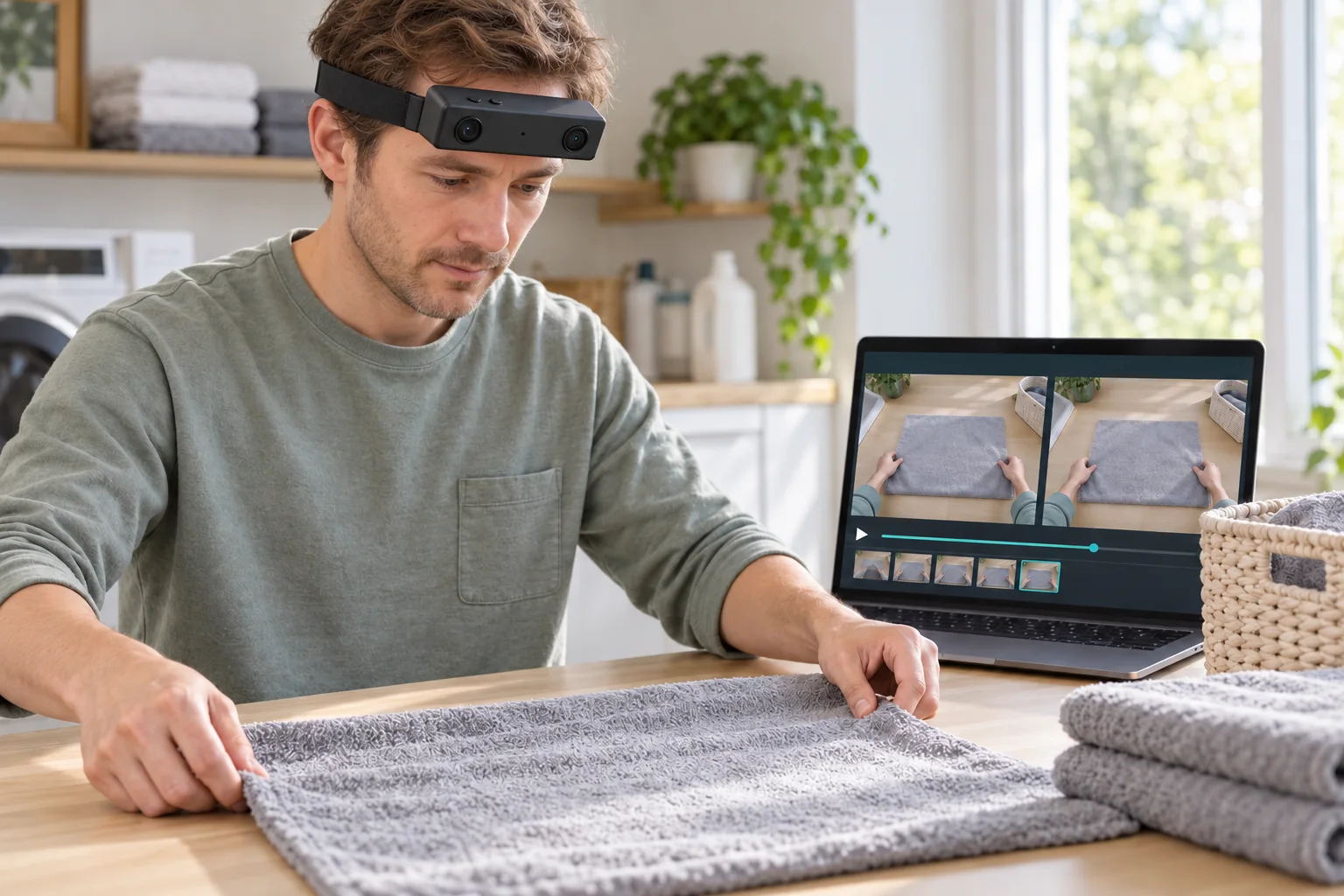
How can R8 support human intention prediction research?
- Capture corresponding left and right views with R8’s dual global shutters and common hardware trigger or shutter signal.
- Retain unified camera and IMU timestamps with the configured 100, 200 or 500 Hz 6-axis IMU data.
- Prepare human-reviewed observation clips and intent annotations from the recorded clothing-handling sequence.
- Keep the selected video mode and delivered calibration files associated with every R8 collection.
EGO R8 provides synchronized left and right first-person video for collecting the visual evidence used in human intention prediction research. A useful recording follows how hands approach an object, how its state changes and how the wearer moves between steps. This article develops a proposed R8 collection workflow around preparing and folding a towel at a laundry table. R8 supplies the stereo and inertial recordings; researchers prepare the intent annotations and analyze the clips with their selected models.
Define the intent question before recording
EgoIntent, introduced by Ye Pan and colleagues, studies immediate goals, their role in a procedure and likely next actions using video that ends before a step’s outcome is revealed. Its clothing-handling examples provide the research basis for this application. For an R8 towel-handling session, define the target question around a specific transition, such as preparing the fabric for a fold. Keep the observed hand movement, the intended preparation goal and the following fold as separate annotation fields.
Capture two views of the same preparation step
R8 combines two global-shutter image sensors with a common hardware trigger or shutter signal. Its multi-view data in this workflow consists of the left and right stereo views from the head-worn unit. Position the R8 so both views include the working hands and towel edges, then inspect a saved sample as the wearer leans toward the table. Preserve the left/right identity of each stream. When preparing an observation clip, use corresponding frame times and the same reviewed endpoint for both views.
Use global-shutter frames to inspect hand movement
R8’s global-shutter sensors expose all pixels in each image at the same time. During towel preparation, the hands may spread the fabric while the wearer changes head position. The synchronized image pair gives the research team two corresponding observations of that movement. Inspect the fabric boundary and the approaching fingers in sample frames from each camera, and select a headband position that keeps the relevant interaction visible through the recorded step.
Record the actual video mode with each collection
The R8 USB mode table lists 1280 × 720 at 30 fps for both MJPG and YUY2. That is a documented option to discuss when specifying the capture setup for these short hand-object sequences. Separately, the main specification table lists 1600 × 1200 at 30 fps and H.264/H.265 output. Confirm the delivered mode because those tables describe different combinations. Keep the selected codec, image dimensions and frame rate with the R8 recording so frame-based annotations refer to the actual captured sequence.
Retain motion context on the same timeline
R8 specifies an integrated 6-axis IMU with selectable 100, 200 or 500 Hz sampling, together with unified timestamps for camera frames and IMU samples. As the wearer looks between the fabric and the storage area, retain those head-unit inertial samples alongside the stereo footage. The research team can associate a selected video interval with its recorded motion samples using that time reference. Store the configured IMU rate with the session, and preserve the original timestamps when exporting excerpts for analysis.
Keep calibration attached to the stereo pair
The R8 manufacturer document describes unit-specific camera intrinsics, distortion coefficients and extrinsic parameters where applicable. Keep the delivered calibration files associated with the R8 unit and image mode used at the laundry table. If researchers rectify the images or crop a region around the fabric, document that preparation alongside the original frames. Both views and their calibration then remain traceable through the data-preparation process, including the moment selected for an intent-prediction question.
Build human-reviewed questions from the R8 clips
For each selected R8 interval, reviewers can write the immediate goal, explain its place in the clothing-organizing procedure and record a plausible next step. Following the cited research’s observation rule, end the model input while the queried action is still developing. Review that boundary in both stereo views, then keep the later recording in the annotation archive. Store the human-written answers separately from the model input, with a direct link to the source interval and its reviewed endpoint.
Prepare the recording session and data handover
R8 uses USB 2.0 and specifies DC 5 V power with a maximum working current of 320 mA. Arrange the selected USB capture setup before the wearer begins the towel-handling sequence. Replay a pilot recording and check that both image streams, their timing records and the configured IMU data are present. Package the original recordings, unit identifier, selected video mode, calibration files and researcher-created annotations together. Keep those files tied to the same session so a later reviewer can reconstruct how each input clip was prepared.
Specify R8 for an intention-research collection
For teams preparing first-person intention data, R8 brings dual global-shutter capture, common hardware triggering and unified visual-inertial timing into one documented collection setup. Start with a short towel-handling pilot and share the required image mode, IMU sampling rate and calibration deliverables with the EGO team. This provides a concrete basis for configuring R8 around the research team’s capture and annotation workflow.
Research reference and R8 specifications
EgoIntent: A Pre-Outcome Micro-Step Benchmark for Understanding What, Why, and Next