
SLAM / VIO Field Testing / Original EGO R9 field guide informed by the Monado SLAM Dataset research / Sep 14, 2026
Walk, Turn, Revisit: Indoor SLAM Trials with EGO R9
An indoor inspection route combines walking, close viewing, head turns, and repeated locations. This R9 field guide turns that route into a structured visual-inertial capture trial, using global-shutter video, high-rate IMU data, and shared timing.
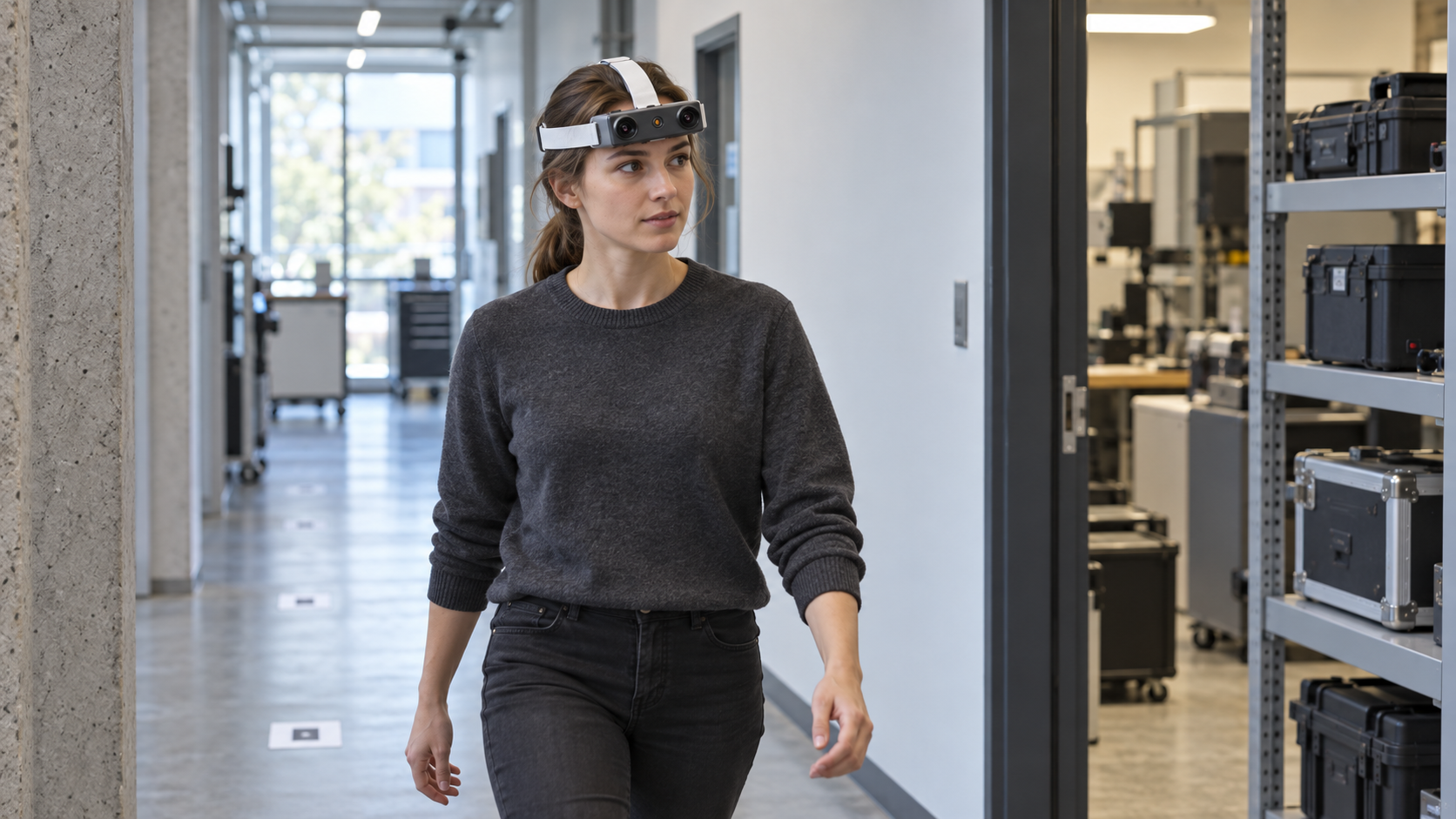
A facility researcher leaves a workbench, walks through a doorway, looks toward a shelf, and returns by the same corridor. To a person, it is an ordinary inspection loop. To a visual-inertial system, it combines changing viewpoints, repeated geometry, near objects, and transitions between motion and stillness. EGO R9 gives a team a wearable way to record the visual and motion evidence for studying that loop while leaving the researcher's hands available for normal work.
The 2025 paper The Monado SLAM Dataset for Egocentric Visual-Inertial Tracking, by Mateo de Mayo, Daniel Cremers, and Taihu Pire, examines difficult head-mounted tracking conditions using several VR headsets. Its emphasis includes motion, occlusion, lighting, and extended sessions, with reference tracking used for evaluation. That research motivates the test coverage below. Its headset specifications, calibration files, software drivers.
Make the first route easy to repeat. Begin at a marked standing position facing a textured work area, walk to an open equipment room, pause to view a shelf, turn into a corridor, and return to the start. Record the route direction, approximate pace, stops, camera angle, and lighting. Repeat it before adding complications.
R9 combines 1080P global-shutter imaging with a 120-degree wide-angle lens. Global shutter helps avoid the geometric skew associated with rolling shutter during head turns; the wide view can retain surrounding features as attention moves between a shelf and a doorway. Neither feature guarantees tracking through glare, darkness, or a blank wall. Inspect actual frames at walking pace and during comfortable head turns to see whether shelf edges, wall details, and doorway corners remain distinguishable.
The standard frame rate is 30 FPS, with 60 FPS optional. A higher confirmed frame rate may give an estimator more observations during a turn, but also increases decoding and processing demands. Compare available modes on the same short route and document exposure conditions.
The 6-axis IMU samples above 200 Hz, providing acceleration and angular-motion observations between camera frames. Shared clock and global timestamp support are particularly relevant when relating a head turn to the changing scene. Before collection, verify timestamp units, monotonic order, missing samples, and the meaning of each exported time field. Use a controlled rotation sequence to examine measured image-to-IMU alignment.
Confirm the R9 data interface before a longer route trial. Review representative image, IMU, timestamp, and camera-intrinsics exports from the selected unit. Record the lens settings, sensor-axis convention, video mode, and file mapping used by the route-analysis workflow.
Add one controlled challenge at a time. Repeat the route with a longer pause facing a plain wall, then with an ordinary turn from a bright doorway toward a less illuminated shelf. In a separate run, have a consenting colleague cross part of the view at a planned point. Label each change and retain the easy baseline. These comparisons help separate insufficient visual features, transient occlusion, and timing problems without requiring abrupt movement or a complicated obstacle course.
Begin route review with continuous video, visible environmental features, complete IMU intervals, monotonic timestamps, and successful file decoding. Then record estimator initialization, route continuity, relocalization events, and processing time as outputs of the chosen analysis workflow.
R9 stores H.265 video in MP4 and supports T-Flash storage and a Type-C interface. Test copying, decoding, and mapping decoded frames back to sensor timestamps before collecting a large session. Some analysis tools require an explicit conversion step; preserve the original recording and conversion settings so results are reproducible. Check copied-file hashes, inspect beginning and ending frames, and trial a controlled interruption with disposable footage.
Run a longer route only after the short trials work. R9's external-battery support and approximately five-hour stated working time are useful planning references, while actual endurance depends on the confirmed setup and conditions. Measure recording duration, temperature, card capacity, and camera-angle drift during a practical session. The replaceable strap and adjustable camera angle help adapt the setup to adult wearers; record any adjustment between runs. Route timing and image quality should remain comparable even when the operator changes.
For a useful R9 evaluation pack, specify the route, selected imaging mode, required sensor exports, calibration needs, and the estimator you plan to use. Agree access to the recording area and keep private screens and uninvolved people outside the capture plan. R9's value in this workflow is the combination of hands-free wide-angle video, global shutter, high-rate inertial sensing, and shared timing. The trial then establishes which recordings your software can use reliably, with any navigation or mapping performance attributed to the complete tested system.