
CNC Operation Capture / Original EGO R10 guide; Haas operator-manual reference / Sep 29, 2026
EGO R10 for Industrial CNC Operation Capture
Document industrial CNC machine operation with EGO R10: synchronized views, 1600 × 1200 at 30 fps, HDR modes and configured IMU data.
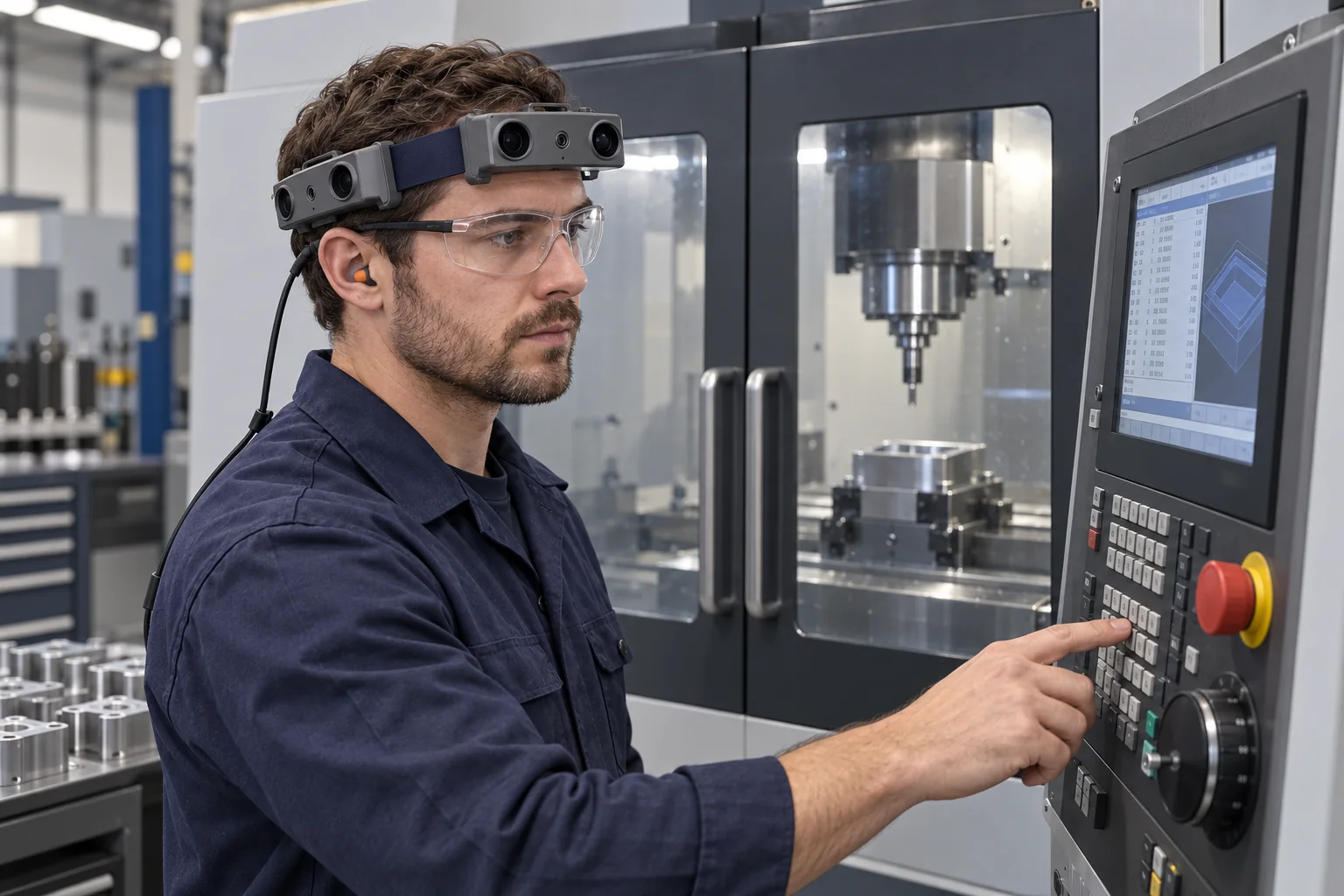
How can R10 document CNC operator workflows?
- The proposed workflow records selected workpiece-preparation and control-panel tasks from the operator’s perspective.
- R10 lists 1600 × 1200 at 30 fps and synchronizes its camera views with a common hardware trigger or shutter signal.
- Linear/HDR image modes and configured 100 / 200 / 500 Hz IMU data can be documented with each recording session.
- Workshop operators or trainers manually label visible actions and select clips for reviewing the recorded task.
Review EGO R10 specifications and the supplied parameter tables
At an industrial CNC workstation, a recording project may need to document both workpiece handling and the operator’s actions at the control panel. EGO R10 provides a wearable multi-camera headband for collecting these first-person views. This guide proposes an R10 recording session around an enclosed CNC milling machine, connecting documented operator tasks with the camera’s imaging, hardware synchronization and configured inertial-data capabilities.
Start from documented CNC operator tasks
Haas Automation’s online Mill Operator’s Manual organizes CNC work into subjects including part setup, the control pendant, display functions and machine operation. The part-setup chapter covers workholding and offsets; the operation chapter includes program search and graphics review. These documented activities establish the setting for this R10 capture plan. The workshop’s trained operator selects the actual task and follows the machine manual and the applicable work instruction.
Plan workpiece and control-panel recording blocks
Structure the pilot around two recording blocks: a selected workpiece-preparation task and a selected control-panel task. Give each block a recording identifier linked to the machine, part and work-instruction revision. Include the operator’s transition between the relevant areas in the footage. Follow the documented machine states for loading and unloading; during machining, retain the closed doors and guarding described by the manufacturer. The recording plan follows the established operation at the station.
Frame the hands, work area and pendant
R10 specifies fixed-focus imaging with a horizontal field of view of 115° and a vertical field of view of 80°. Before collecting the selected task, check the views while the operator faces the work area, nearby part tray and control pendant. Review whether the hands and task objects appear in the relevant camera images at the normal working distance. Use those samples to choose the wearing position and the camera views required for the record.
Review visible actions at 1600 × 1200 and 30 fps
The R10 imaging table lists 1600 × 1200 resolution at 30 fps. In a CNC recording pilot, examine the saved video during workpiece handling and the operator’s use of panel keys or controls. If a displayed item is relevant to the review, check its visibility in the actual sample. Keep original-resolution recordings and identify the camera and frame interval for each selected excerpt, so a reviewer can return to the action in context.
Preserve synchronized views of the workstation
All cameras within the R10 system are synchronized to a common hardware trigger or shutter signal. This lets the project retain corresponding views of the operator’s surroundings during a task. As the wearer turns toward the pendant, another available view may include the machine enclosure or the adjacent tray. Preserve camera identities and the matching recordings together, then select the views that contain the action and workstation context needed for the discussion.
Document the lighting and imaging configuration
A CNC workstation can place a bright control display and reflective metal surfaces in the same recording session. R10 lists 61.56 dB dynamic range in linear mode and 91.56 dB in HDR mode, with automatic exposure and white-balance controls. Review a sample under the station’s working illumination and document the chosen mode and settings. The recording notes then explain the imaging configuration used for both the workpiece area and the panel task.
Retain motion data from the configured head unit
The R10 system specification includes a 6-axis IMU in head and wrist units where required, with selectable sampling rates of 100, 200 or 500 Hz. When the chosen head-unit configuration includes this IMU, retain its inertial-data files under the same session identifier as the camera recordings. Document the unit location and sampling rate. These files add measurements from the worn unit as the operator changes position and turns between the workstation areas.
Prepare the recording connection and external power
R10 provides USB 2.0 and lists MJPG, H.264 and H.265 output formats. Prepare the recording connection and verify a saved sample in the project’s playback workflow. The system uses an external battery, with a specified DC 5 V supply and a maximum working current of 320 mA. Plan the power and cable placement for the operator’s route between the part area and pendant, keeping the workstation’s controls and access areas clear.
Index the footage with operator-led annotations
After capture, an experienced operator or trainer can manually label visible intervals such as handling the workpiece, moving to the pendant, selecting a display and observing the enclosed work area. Associate each annotation with the camera view, frame interval and work-instruction step. Review the selected clips with the person who performed the operation, and retain their explanations alongside the video references. This organizes the footage around the recorded human actions at the CNC station.
Plan an R10 CNC recording pilot
A focused R10 CNC pilot should produce the original camera recordings, the chosen capture settings, any configured IMU data and a set of clips selected by the workshop team. Keep the preparation and panel-operation blocks linked to the same task record while preserving their individual identifiers. Use the reviewed sample to specify the views and files needed for further collection, then discuss the workstation arrangement and desired R10 configuration with the EGO product team.
Application reference and R10 specifications
Haas Automation — Mill Operator’s Manual: Part Setup, Operation and Safety
Review EGO R10 specifications and the supplied parameter tables