
Kitchen Workflow Capture / Original EGO R8 kitchen workflow guide based on the 2026 R8 specification / Sep 15, 2026
From Chopping Board to Serving Bowl: Kitchen Workflow Capture with EGO R8
Kitchen preparation combines rapid hand motion, close object interaction, and frequent viewpoint changes. This R8 guide defines a controlled capture pilot for repeatable meal-preparation demonstrations, synchronized stereo video, inertial data, and downstream review.
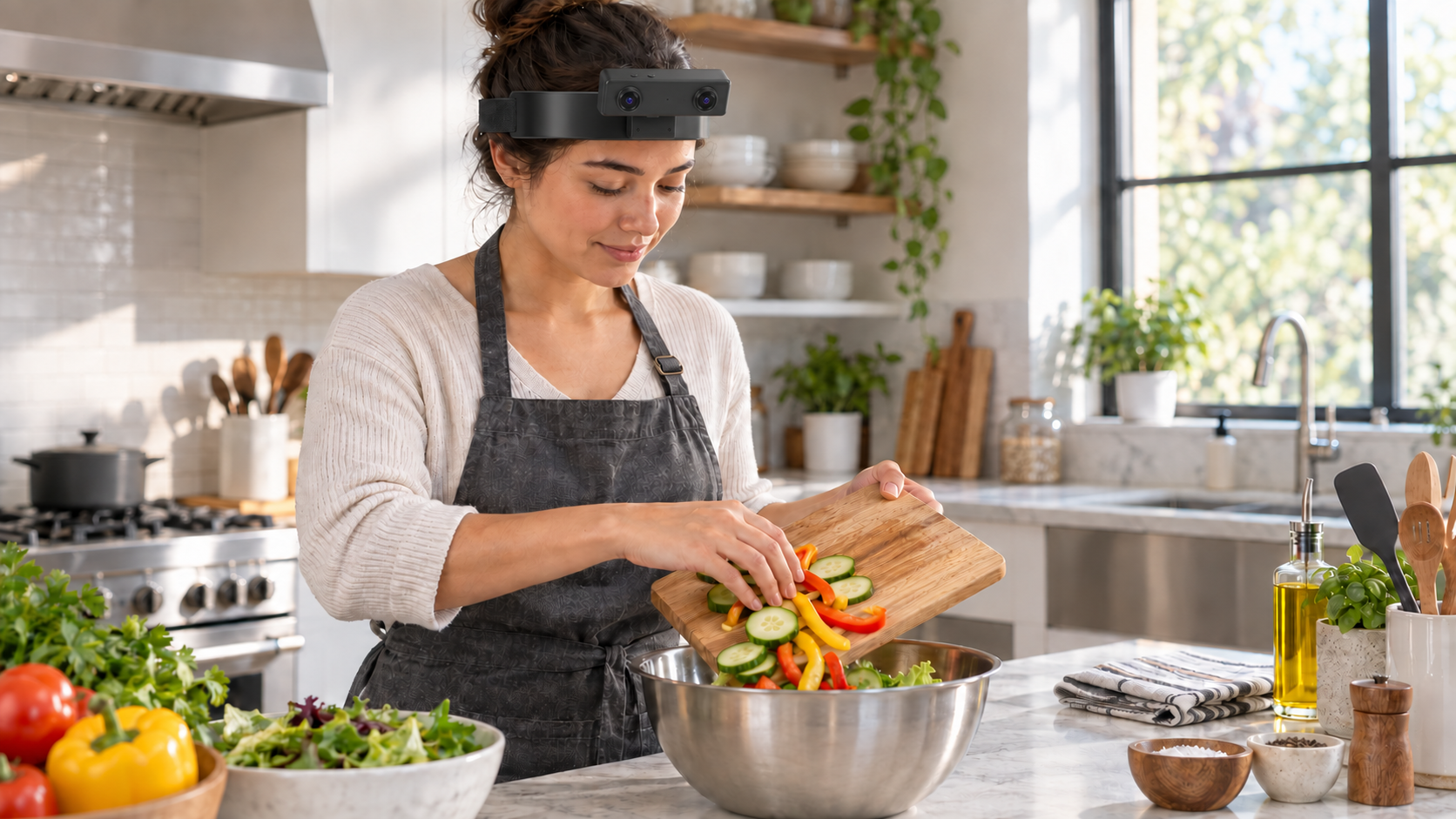
A kitchen demonstration moves quickly from ingredient selection to cutting-board organization, bowl transfer, utensil placement, and cleanup. A fixed room camera can preserve the overall scene while losing the operator's view of a small object or the moment one hand blocks another. EGO R8 adds a head-mounted stereo perspective that can record the order and visible context of approved kitchen actions while leaving both hands available for the task.
This application supports first-person training examples, repeatable kitchen workflow review, and human-to-robot research datasets. EGO R8 contributes synchronized stereo global-shutter video, selectable-rate inertial data, unified timestamps, and per-unit calibration support throughout the complete task sequence.
Use a bright training kitchen and define a repeatable sequence: arrange ingredients and utensils, organize the cutting board, transfer prepared pieces into a bowl, return each tool to its marked location, inspect the final layout, and complete the recording. This creates clear visual states for evaluating R8 framing and continuity.
R8's specification lists two global-shutter cameras, fixed focus, a 1/2.6-inch sensor, 3.0-micrometre pixels, and fields of view of 180 degrees diagonal, 115 degrees horizontal, and 80 degrees vertical. At a practical bench distance, this wide stereo view can include both hands, the board, the bowl, and nearby utensils.
The main camera table documents 1600 by 1200 at 30 FPS. Global shutter helps avoid rolling-shutter skew when a hand crosses the board or the wearer turns between ingredients and a utensil rack. Test normal-speed reaches, transfers, rotations, and tool placement under both daylight and task lighting, then review representative frames instead of relying only on smooth playback.
The USB mode table separately lists MJPG at 1920 by 1080 and 30 FPS, YUY2 at 1920 by 1080 and 15 FPS, and both formats at 1280 by 720 or 640 by 480 and 30 FPS. Confirm the delivered firmware, codec, dual-stream behavior, host compatibility, sustained frame rate, and storage rate before the pilot.
The two cameras share a hardware trigger and shutter, providing synchronized stereo frames as both hands move around a bowl or an object crosses the workspace. Use a repeatable moving target to check pairing, then inspect the kitchen recording for continuous, correctly ordered image pairs. Combine the paired images with the documented per-unit calibration files and working-distance record.
R8 includes a 6-axis IMU with selectable 100, 200, or 500 Hz output and unified timestamps for camera and inertial samples. A project can use the motion record to locate head turns, stable inspection periods, and transitions between the board and storage area. Validate sample rate, units, axes, timestamp order, gaps, and measured camera-to-IMU alignment on the delivered unit.
The specification describes per-unit camera intrinsics, distortion coefficients, and stereo extrinsics where applicable. Archive those calibration files with the device reference, firmware, and selected video mode. Verify that the processing pipeline uses the correct calibration for both image channels.
Create event labels around evidence a reviewer can actually see: ingredient selected, tool contacted, object repositioned, transfer started, transfer completed, utensil returned, and sequence ended. Record visibility, occlusion, and uncertainty separately from whether the procedure met a kitchen standard. Compare independent reviews on several short demonstrations before scaling. If a step is ambiguous, mark it as uncertain rather than inferring intent from the next action.
R8 is documented for USB 2.0 at 5 V with a maximum current of 320 mA, and the supplier document states that an SDK and API can be provided. Test the intended host port, cable route, retention, sustained bandwidth, and recovery after a controlled disconnect using disposable footage. Confirm operating-system support, access to paired frames, timestamps, IMU packets, calibration files, and error reporting before building an automated collection tool.
A successful pilot preserves the full preparation sequence, both hands, key objects, continuous stereo pairs, the selected USB video mode, complete IMU samples, unified timestamps, and traceable calibration files. R8's synchronized hands-free stereo and motion record provides a strong foundation for repeatable kitchen workflow research.