
Daily-Life Memory Data / Original EGO R8 guide; EgoLife research reference / Sep 30, 2026
Multi-Camera Wearable Data for Daily-Life AI Assistants with EGO R8
Build daily-life event-memory datasets with R8 stereo video, dual global shutters, common triggering, unified camera–IMU timestamps and human-reviewed evidence clips.
How can R8 supply data for daily-life assistant research?
- Use R8’s two global-shutter cameras as a left/right stereo pair for recording visible everyday events.
- Preserve common camera triggering and unified camera–IMU timestamps when organizing evidence clips.
- Choose 100, 200 or 500 Hz IMU sampling and document the USB video mode used for the session.
- Have researchers link questions about an object’s last observed location to the original video evidence.
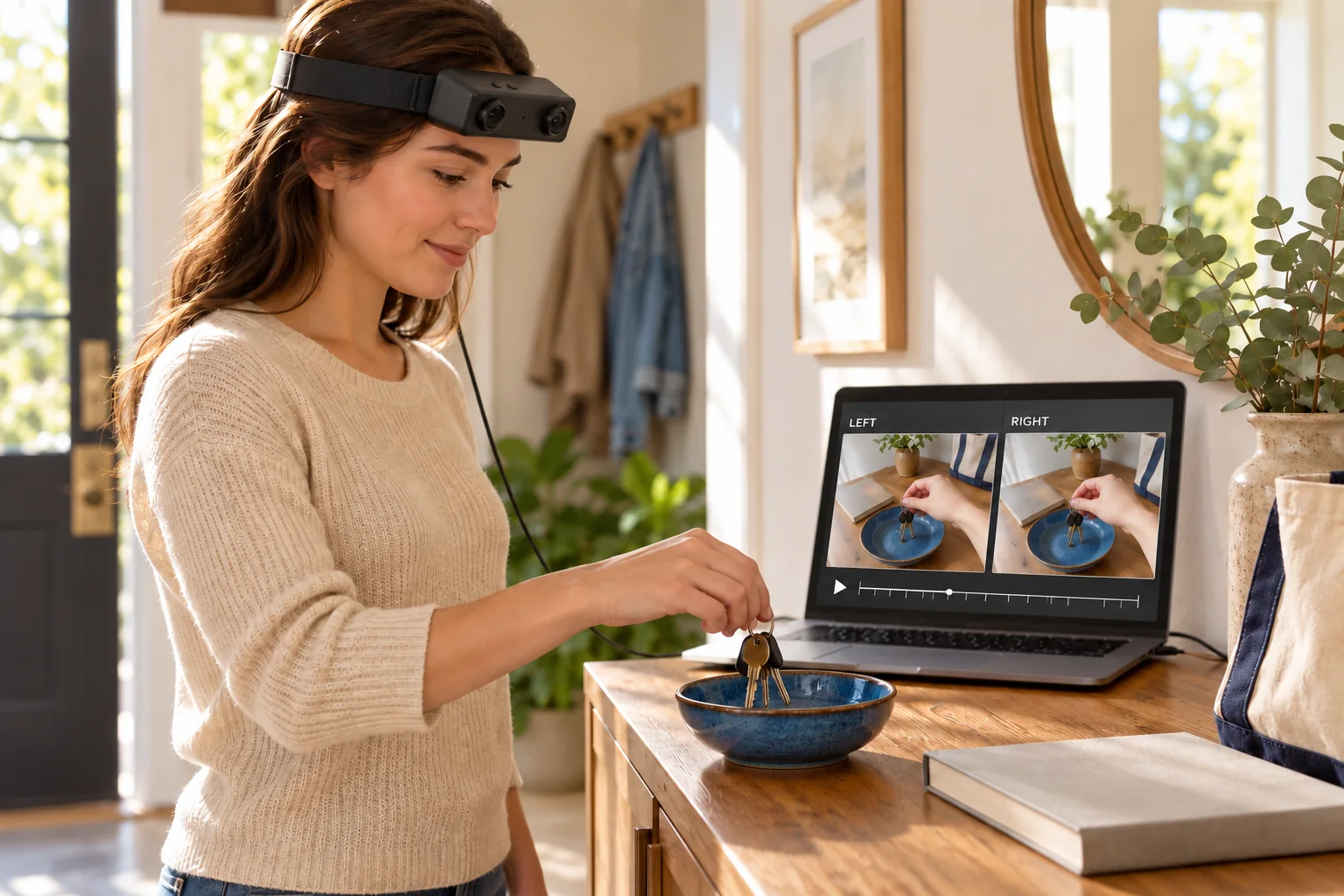
Where were the keys placed after arriving home? A useful dataset for a daily-life AI assistant needs the visible event that supports an answer, together with enough context to identify the object and location. EGO R8 can supply head-worn stereo recordings for that research. Its two global-shutter cameras, common hardware triggering and unified camera–IMU timestamps provide the acquisition features around which a team can organize a sequence of everyday observations. Here, multi-camera capture means the R8 unit’s left and right stereo views.
Start with an evidence-based memory question
EgoLife: Towards Egocentric Life Assistant, published at CVPR 2025, studies everyday egocentric recordings and questions about earlier events. Its EntityLog and EventRecall categories connect questions with object details and past activities, while annotations retain supporting times in the recordings. That idea motivates this R8 collection: record ordinary object-placement events, then let researchers prepare questions whose answers can be checked in the footage. The proposed use concerns the captured observations and their organization for an assistant-development project.
Capture the event before writing the answer
For an R8 pilot, use a familiar home entrance with a key bowl, a bag and a nearby surface. Record the wearer placing the keys, leaving the console and later returning to it. A reviewer can then identify the visible placement event and write a question such as, “Where were the keys last seen?” Store the answer with the specific evidence clip. Describe the last observed location at that point in the recording, and preserve the preceding action so another reviewer can see how the object reached it.
Keep both stereo views with the same event
R8 uses dual global-shutter image sensors and a common hardware trigger or shutter signal. Retain the left and right recordings together when preparing the key-placement excerpt. Examine both views for the hand, key ring and bowl, then select the images needed for the research task. Global-shutter capture is a documented imaging characteristic of R8; the review decision should still come from the saved frames. Keep the original stereo pair available even when an annotation interface presents only one selected view.
Use the timeline to connect events across a session
The R8 specification describes unified timestamps for camera frames and IMU samples. Preserve those original values when a longer recording is divided into event clips. Store a session-relative interval for each excerpt along with the mapping to the source timeline. This allows a dataset curator to retrieve the placement event after the wearer has moved to another activity. When sessions are combined into a daily record, the curator can add explicit session labels and a chronological index for the assistant experiment.
Attach motion context from the worn unit
R8 lists a 6-axis IMU with selectable sampling rates of 100, 200 and 500 Hz. Record the rate used for the home-entry session and retain the head-unit samples associated with the selected video interval. A researcher preparing an event-memory dataset can keep this motion record alongside the images of the wearer looking down at the bowl and turning away. The unified timestamp basis makes the association between those recorded inputs an explicit part of the R8 data package.
Keep object context readable in the recorded view
R8’s fixed-focus optics have a listed horizontal field of view of 115° and vertical field of view of 80°. Check the actual view while the wearer approaches the console and places the keys, retaining both the object and recognizable surroundings in the sample. If the team prepares resized or rectified images, associate the processing with R8’s supplied per-unit camera intrinsics, distortion coefficients and stereo extrinsics where applicable. Keep the original files and transformation record so an evidence frame remains traceable to the stereo capture.
Choose and document the delivered USB mode
R8 connects over USB 2.0. Its USB mode table lists MJPG and YUY2 at 1280 × 720 and 30 fps. The main table separately lists 1600 × 1200 at 30 fps with H.264/H.265, so confirm the delivered resolution, codec and stereo-stream configuration before collection. R8 specifies DC 5 V and a maximum working current of 320 mA. Record the selected host, power arrangement and video mode with the session so the data-preparation team can reproduce the recording configuration.
Create a question-to-evidence record
For each selected R8 event, a human reviewer can record the object name, visible action, observed location, source clip and answer text. A second review can check that the answer is supported by the chosen interval and that the event order is preserved. These are dataset-curation steps carried out by the project team. Keep the reviewed record linked to the paired R8 recordings and the original timeline, then use that package as the input to the team’s assistant-model development and evaluation.
Make the next collection serve a clear question
Begin with a small collection in which each question has a recoverable R8 evidence clip. Review the object visibility, stereo pairing and timeline links before collecting more routines. The EGO product discussion can then focus on the required USB mode, IMU rate and calibration deliverables for this workflow. R8 supplies the documented stereo and motion inputs; the research team builds the event index and evaluates how its assistant uses those observations to answer daily-life questions.