
Multi-View 3D Research / HOH handover research and EGO R10 product specifications / Nov 6, 2026
Multi-View Egocentric Camera: R10 Handover Visibility Review
Plan multi-view egocentric camera capture with EGO R10 for a handover: organize synchronized views and review hand-object visibility for 3D research.
How can R10 support multi-view research capture?
- R10 synchronizes its cameras with a common hardware trigger or shutter signal.
- Review both participants’ hand and object visibility in each view before, during and after the handover.
- Organize corresponding views and research annotations under the same take identifier.
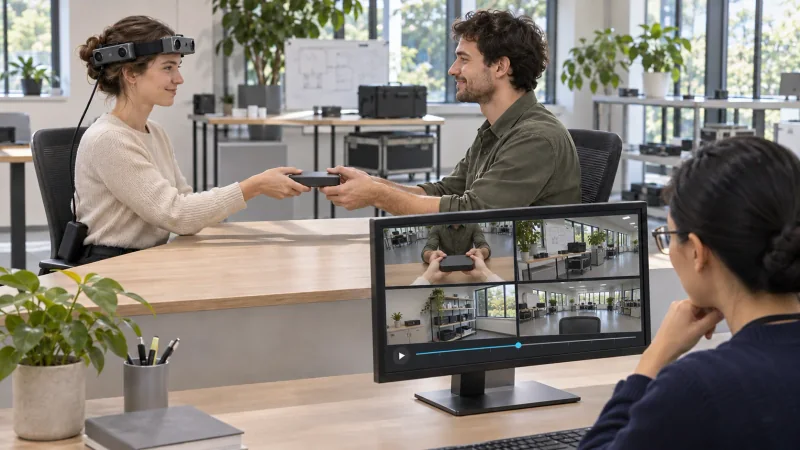
A multi-view egocentric camera can capture a handover from several viewpoints at the same time. EGO R10 uses a common hardware trigger or shutter signal across its cameras, providing synchronized views for a research team studying how two people transfer an object. This guide focuses on how a reviewer can organize each view and mark changing hand-object visibility around the transfer.
Plan the views around the task
Plan a short handover in a defined work area: the wearer holds an object, presents it to a second person, transfers it, and both participants return their hands to a resting position. Give the take an identifier and document the object and starting arrangement. Record a pilot and review the actual framing produced by the configured R10 cameras.
R10 lists 1600 by 1200 image resolution at 30 frames per second. Its cameras share a hardware trigger or shutter signal. Preserve the identity of each camera view and the corresponding captured sequence under one take identifier, so reviewers can locate the same part of an interaction across the available views.
Capture corresponding views
The R10 product information describes dual-camera calibration and 3D reconstruction as application functions. For a research collection, document the capture configuration and retain the applicable calibration information with the take. The research team selects the processing workflow and checks that the data and configuration are suitable for its own 3D analysis.
Connect the R10 through its documented USB 2.0 interface and record the selected capture settings. The specification also describes a six-axis IMU in head and wrist units where required, with 100, 200 and 500 Hz sampling options. When the delivered configuration includes an IMU, record the selected setting and associate the available motion data with the session.
Review hand and object visibility
Review moments before the handover, as the second person reaches, during shared contact, and after the release. For each moment, note which camera views show each hand and the object clearly, and where contact is partly covered. A reviewer-created visibility table can use rows for those four phases and columns for the available view IDs. It helps the team select intervals and decide whether another take is useful.
The HOH research dataset studies human-to-human object handovers using multiple views and annotations for the participants and object. It motivates the choice of a transfer activity and careful review of visible contact. The R10 capture procedure here is a separate proposed workflow; the research paper’s equipment, annotations and results belong to that dataset.
Organize a take for 3D research
Organize the collection by session, take and camera view. Alongside the original streams, keep a task description, configuration notes and the researcher’s visibility annotations. If a team produces 3D estimates or hand-object labels, keep those results identified as its own analysis and link them back to the relevant recorded take.
A second reviewer can check the selected phase boundaries against the original recordings and compare visibility notes for each view. Preserve the complete handover take alongside any selected segments. When the reviewers disagree, keep the original notes and resolve the label using the recorded evidence before analysis.
Why review each view separately?
A hand or object may be clear in one view and partly obscured in another. A reviewer’s per-view notes make the available evidence easier to select for the intended analysis.
What timing feature does R10 provide?
The R10 specification states that all cameras use a common hardware trigger or shutter signal. Organize the captured views together using the take and camera identifiers.
How should optional IMU information be recorded?
Where the delivered head or wrist configuration includes an IMU, record whether 100, 200 or 500 Hz was selected and keep the available samples with the session.
Research source and R10 product information
HOH: Markerless Multimodal Human-Object-Human Handover Dataset with Large Object Count, NeurIPS 2023