
Multi-View Embodied AI / Original EGO R10 guide; research context from Aria Digital Twin / Sep 23, 2026
EGO R10 for Embodied AI: Multi-View Indoor Data Collection
Plan indoor embodied-AI data collection with EGO R10: synchronized multi-camera video, documented imaging settings, IMU options and researcher-created labels.
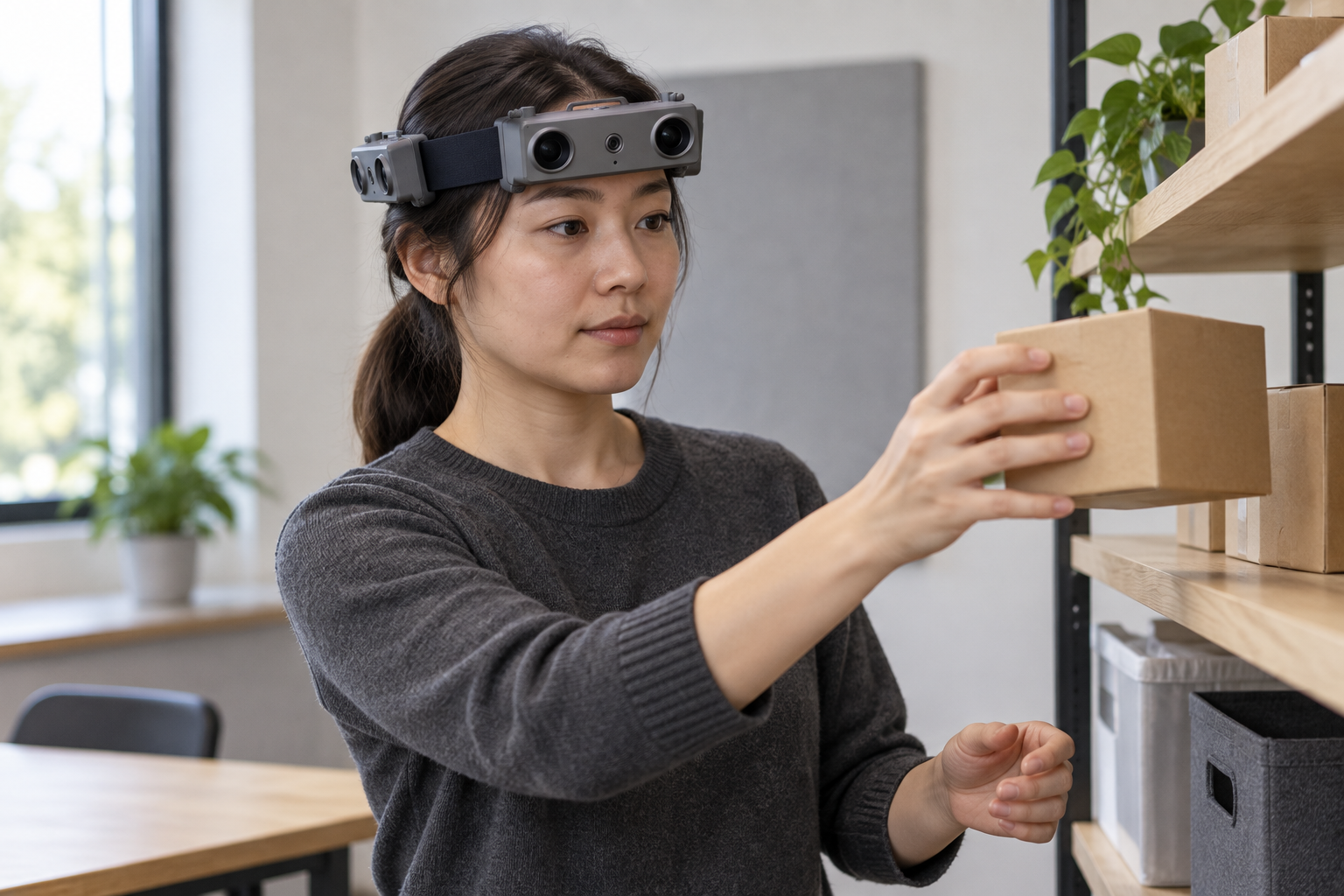
How can EGO R10 support indoor embodied-AI data collection?
- Record a repeatable shelf-to-table object-transfer task with the R10 multi-camera headband and inspect the views of objects and room features.
- Use the documented 1600 × 1200 at 30 fps configuration and common hardware trigger/shutter synchronization across cameras.
- Select 100 / 200 / 500 Hz sampling for the 6-axis IMU in head or wrist units where required, and retain the chosen configuration in session records.
- Have researchers organize camera files, configured IMU data, calibration records and manual task labels for indoor scene and embodied-AI research.
An indoor robot-training scene contains more than the object being picked up. The table edge, nearby shelf, chair and route between work areas give an action its spatial context. EGO R10 brings a multi-camera headband, common hardware synchronization and 1600 × 1200 imaging at 30 fps to the collection of these first-person observations. This article develops an R10 capture workflow for a room containing a table and storage shelf, where a wearer approaches, retrieves, carries and places everyday objects. The aim is to organize usable multi-view recordings for embodied-AI and 3D scene-reconstruction research.
Aria Digital Twin, presented by Xiaqing Pan and colleagues at ICCV 2023, studies egocentric observations of indoor activities in the context of 3D machine perception. Its treatment of objects, activity sequences and room context provides a useful research motivation for this collection design. The R10 workflow below is an original proposal centered on the supplied R10 specification tables. The research citation informs the choice of scene and data-review questions; R10 hardware values are taken from the R10 product documentation.
Define an indoor object-transfer collection task
Set up a repeatable task within one room: begin beside the table, turn toward a shelf, retrieve a selected object, return to the table and place it in a designated area. Include a short pause before the reach and after placement so reviewers can identify the scene state around each action. Repeat the sequence with documented changes in object position and approach direction. Give each room layout, object and trial a researcher-assigned identifier. These notes make it possible to locate the same placement event across the R10 camera recordings and subsequent manual annotations.
Plan camera views around the room and the wearer
The supplied R10 renders show camera units arranged around a wearable headband. Before a collection session, identify each camera view and record a short trial of the intended shelf-to-table route. R10 lists a diagonal field of view of 180°, a horizontal field of view of 115° and a vertical field of view of 80°, together with fixed-focus lenses. Inspect the recorded frames to see where the shelf, carried object, tabletop and surrounding room appear. Use those observations to document which views contain each part of the task, including the moments when a hand or object changes its position in the image.
Use the common hardware trigger for multi-view capture
R10 specifies that all cameras are synchronized to a common hardware trigger/shutter signal. This is the documented timing feature to use when designing multi-view capture of the same activity. Keep the camera identifiers and original sequence order associated with every trial. During review, examine a visible event such as an object contacting the tabletop in the camera views that contain it. Record the corresponding frame references in the research notes. Shared capture control and this explicit review procedure give the team a concrete way to organize observations of the same action across views.
Set up 1600 × 1200 imaging at 30 fps
The R10 imaging table lists 1600 × 1200 resolution at 30 fps, a 1/2.6-inch sensor and 3.0 μm × 3.0 μm pixels. Use the documented resolution and frame rate as the starting configuration for the room trial, then inspect recorded examples of the reach, carry and placement phases. Look at whether object edges, hand positions and table boundaries remain visible at the distances used in the task. Review the closest hand-object interaction and the shelf view as well as the approach sequence. Keep the selected video configuration in the session record so later reviewers know how each trial was captured.
Document lighting and dynamic-range settings
Indoor collection often includes a bright window, an evenly lit table and a darker shelf recess within the same room. R10 lists 61.56 dB dynamic range in linear mode and 91.56 dB in HDR mode. Its automatic controls include saturation, contrast, acutance, white balance and exposure. Record trial footage under the intended room lighting and document the selected settings. Inspect the object surface and shelf interior in the saved images, then repeat the task under the lighting conditions chosen for the study. This turns the listed imaging controls into a documented collection procedure.
Prepare recordings for room reconstruction studies
Dual-camera synchronization, dual-camera ranging, dual-camera calibration, depth detection and 3D reconstruction are functions listed for R10. For an indoor reconstruction study, start with a sequence that observes the table, shelf and room features from several wearer positions. The research team can identify the camera pairs used for its geometric analysis and organize its calibration records under those pair identifiers. Preserve a sequence of the arranged room before collecting object-transfer trials. Researchers can then review room geometry and the changing object scene as distinct parts of the collection, with the original camera footage available for inspection.
Select and document the IMU configuration
The R10 specification describes a built-in 6-axis IMU in head and wrist units where required, with sampling options of 100, 200 and 500 Hz. Select the required unit configuration and sampling rate before the session. For this shelf-to-table task, label the portions containing a head turn, a walk, a pause and a reach in the research log. Archive the recorded inertial data with the corresponding session and unit identifiers. Keep the selected sampling rate visible in the dataset documentation so the team can review the motion observations alongside its camera recordings.
Choose USB video output and review saved recordings
R10 uses USB 2.0 and lists MJPG, H.264 and H.265 as output formats. Choose the format for the collection setup and perform a short capture and playback check before recording a full task series. Open the saved camera recordings, inspect the frame dimensions and verify that the intended start, transfer and placement phases are present. Retain the original capture files and document the codec used in each session. This provides a consistent starting point for the research team's later clip preparation, annotation and reconstruction processing.
Prepare external power and optional features
The R10 power specification is DC 5 V with a maximum working current of 320 mA, and the device requires an external battery. Prepare the external power arrangement before the room trial and record the selected setup in the collection notes. Wi-Fi and Bluetooth are optional, and the T-Flash card slot is also optional with configuration-dependent pricing. A team choosing the card-slot option should include the storage card in its collection preparation. Set these choices before the dataset run so the room protocol and equipment inventory describe the actual R10 configuration used.
Create human-reviewed action and scene labels
After capture, have researchers review each object-transfer sequence and create labels for the visible task phases: approach, reach, pickup, carry and placement. Attach each label to its camera identifier and frame or clip reference. Reviewers can also describe which room objects appear in a given view and note when the hand partly covers the carried object. Keep the written label definitions with the annotations, and review a shared sample of trials to make the terms consistent. These researcher-created labels turn the captured room activity into organized material for embodied-AI dataset development.
Build a traceable dataset package
A practical dataset package groups the R10 camera files, recorded IMU data when configured, selected image settings, camera and unit identifiers, room-layout notes and researcher-created labels under a common session identifier. Assign complete collection sessions to the study's training and evaluation groups and preserve those assignments in a manifest. Before expanding the collection, review representative trials from different object positions and lighting conditions. Check image readability, action visibility, file playback and the agreement between annotations and source footage. Record any trial that the team chooses to repeat as a new session entry.
Plan an R10 evaluation session
R10 combines documented multi-camera hardware synchronization, USB video output and configurable inertial sensing with a wearable multi-view arrangement. In an indoor embodied-AI collection project, those characteristics support a structured process: define the object-transfer task, inspect every camera view, record the selected configuration and organize the resulting observations for research. Contact the EGO product team with the planned room task, IMU configuration, output format, optional features and sample quantity to discuss an R10 evaluation setup.