
Open-Surgery Procedure Capture / Original EGO R9 guide; EgoSurgery-HTS research reference / Sep 28, 2026
EGO R9 for Open-Surgery Procedure Capture
Plan open-surgery procedure capture with EGO R9: 1080P video, global shutter, 120° view, a 6-axis IMU above 200 Hz, shared clock and global timestamps.
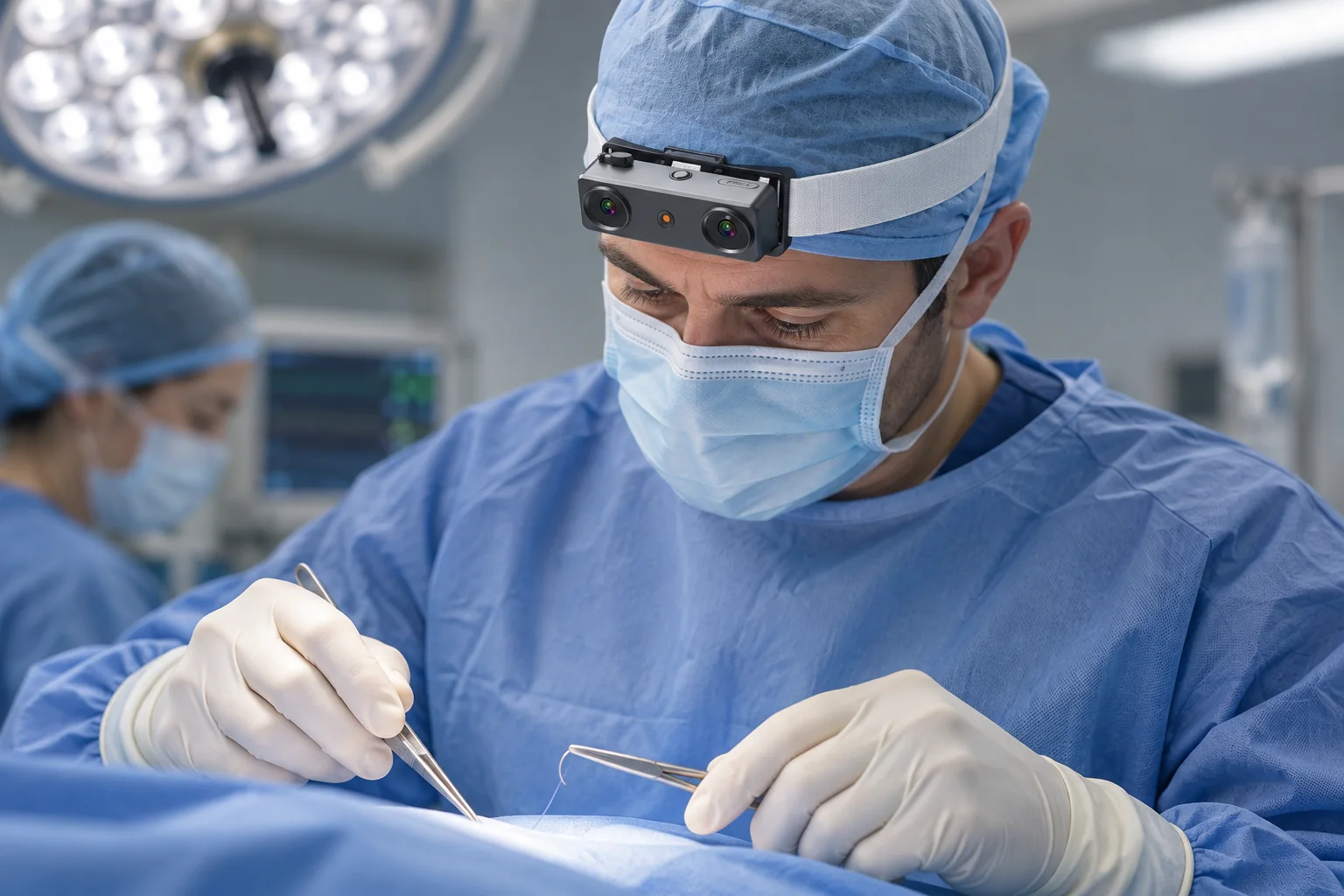
How can R9 support an open-surgery recording project?
- A 120° wide-angle lens and adjustable camera angle help frame the hands and instruments.
- Global-shutter video is specified at 1080P and 30 fps, with a 60 fps option.
- A 6-axis IMU above 200 Hz, shared-clock support and global timestamps provide motion and timing information.
- The proposed recording and human-review workflow draws on published egocentric open-surgery research.
EGO R9 is a head-mounted camera for first-person recording, with global-shutter imaging, a 120° wide-angle lens and a 6-axis IMU. For a research project collecting open-surgery procedure video, these documented features are relevant to framing the operating hands, recording instrument movements and retaining information about the camera wearer’s motion. This guide proposes an R9 capture workflow for that setting, using published egocentric open-surgery research to define the recording and review tasks.
Define the open-surgery recording task
EgoSurgery-HTS, published in Healthcare Technology Letters in December 2025, studies egocentric open-surgery footage with annotations for hands, surgical instruments and hand–tool interactions. The authors describe changing viewpoints, lighting variation and several people handling instruments in the scene. Those observations inform the proposed R9 recording plan: frame the working area and retain the visible relationship between the wearer’s hands and the instruments. The paper supplies the application context; the R9 manufacturer specification supplies the camera capabilities discussed below.
Frame the operating hands and instruments
R9 provides a 120° wide-angle lens and an adjustable camera angle. Before the recording session, review a short R9 sample from the wearer’s expected working posture. Adjust the camera angle so the operating hands, instrument tips and relevant working area fall inside the recorded view. Repeat the framing check as the wearer changes head position. Keep a reference frame with the session notes so the project team can recognize the chosen framing when reviewing the footage.
Choose and document the R9 video mode
R9’s documented video configuration is 1080P at 30 fps, with a 60 fps option. The product specification also lists 1920 × 1200 as an optional resolution. Record the actual resolution and frame rate selected for the R9 unit in the session metadata. For open-surgery capture, review representative hand movements and instrument handling at that chosen mode, paying attention to whether the details needed for the project’s annotations are visible in the recorded frames.
Review movement in global-shutter footage
R9 specifies a global shutter. This capture characteristic is relevant to an open-surgery sequence containing moving hands, instruments and changes in the wearer’s viewpoint. Include such moments in the initial R9 recording review, alongside moments when the wearer holds a steady view of the working area. Retain the original video mode and session settings with those samples so subsequent reviewers can relate the visible image content to its acquisition configuration.
Retain camera motion and timing information
R9 integrates a 6-axis IMU with a specified sampling rate above 200 Hz, together with shared-clock and global-timestamp support. In the proposed surgery recording workflow, preserve the visual and inertial records and their available timing information together. A researcher can use the recording timeline to examine the camera wearer’s movement around a selected video segment. Retain the original timestamps when preparing excerpts so each excerpt remains associated with its source session.
Keep camera information with the source frames
The R9 specification includes camera-intrinsics support. Associate the supplied intrinsic information with the device and video configuration used for the session. When the project team prepares frames for research annotation, keep the original recording and document any image resizing or cropping performed during preparation. This keeps the annotated images connected to the R9 source footage and its camera information.
Prepare storage and review the recorded files
R9 lists MP4 video with H.265 encoding, T-Flash memory-card support, a Type-C USB port and external-battery support. Prepare the chosen storage and power arrangement for the recording session, then verify a sample file in the project’s review software. Record the file names, selected video mode and session identifier in the capture log. After recording, check the saved sequence and keep its associated timing and inertial records with the original footage.
Organize the footage for human annotation
For the R9 footage, define the human annotation task around visible hands, instruments and their interactions. EgoSurgery-HTS distinguishes the wearer’s left and right hands from other hands and includes manual review and correction of its annotations. A project can use that research context to plan its own labels and reviewer checks. When building research subsets, keep each source recording identifiable; the study also uses whole-video splits for training, validation and testing.
Plan an R9 open-surgery capture pilot
An R9 open-surgery capture pilot can bring these elements together: the chosen viewing angle, documented video mode, global-shutter footage, inertial records, timing information, camera intrinsics and a clear annotation plan. Begin with a representative recording sample and review the actual files against the project’s capture requirements. Share those requirements and the desired R9 configuration with the EGO product team when discussing a sample unit and the recording setup.
Research reference and R9 specifications
Darjana et al. — EgoSurgery-HTS, Healthcare Technology Letters (2025)