
Doubles Rally Capture / Seong et al.: MultiSenseBadminton stroke annotation research / Nov 28, 2026
Through the Rally: Recording Doubles Badminton with R8
Use an R8 synchronized stereo camera to record doubles badminton rallies, paired court views and head-mounted IMU data for human-reviewed stroke sequences.
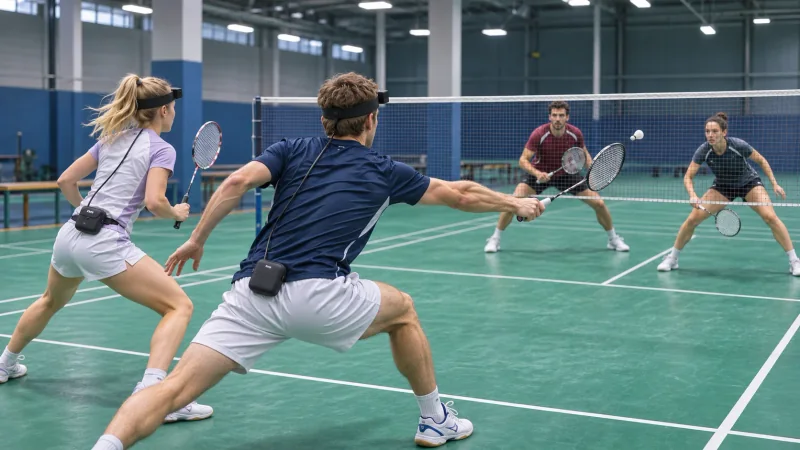
How can R8 record a complete doubles badminton rally?
- Keep complete rallies, including service, rapid exchanges, court-coverage changes and recovery.
- Use the internally synchronized global-shutter camera pair of each R8 for corresponding first-person court views.
- Retain head-mounted six-axis IMU data at the selected 100, 200 or 500 Hz setting with unified timestamps.
- Give each wearer a separate take and device ID; reviewers organise rally numbers and visible action intervals.
Explore EGO R8 stereo capture, synchronization and IMU specifications
An R8 synchronized stereo camera can provide paired first-person views of a doubles badminton rally together with a timed, head-mounted inertial record. This proposed recording session follows two partners wearing their own R8 units through service, quick exchanges, changes of court coverage and the return to ready positions. Each R8 records its internally synchronized camera pair. A reviewer organises each wearer's take by rally number and marks the visible strokes and transitions on that take's timeline.
Use stroke intervals inside complete rallies
Seong and colleagues' MultiSenseBadminton study provides a useful annotation principle: retain when a stroke starts and finishes, as well as its type. Apply that principle to the R8 recordings by keeping complete rallies before preparing a stroke index. The Badminton World Federation's coaching manual supplies the doubles context, including service and return, forecourt interception and changing attacking or defensive coverage. The workflow below is an original R8 collection plan built around those actions.
Prepare each R8 and its connected capture setup
Before stepping onto the court, identify the two R8 units and assign a take label to each player. Set up the connected acquisition arrangement using R8's documented USB 2.0 connection and external DC 5 V supply. Fit the black headband and route the connection with the team's recording arrangement. Keep the device identity with the saved files so the rear-court player's take remains distinct from the partner's forecourt take.
Check both views from the players' positions
Rehearse a ready stance, a short forward approach and a turn toward the rear court while recording with R8. Inspect the two saved camera views for the net, service area and the space into which the player raises the racket. Repeat that check from the partner's position. This establishes what enters each head-mounted view as the players look forward, lift their heads for an overhead return or recover after reaching toward the net.
Keep the internally synchronized camera pair together
R8 uses a common hardware trigger and synchronized shutter signals for its two cameras. That internal pairing matters when the player's head turns during a fast exchange: the reviewer keeps the corresponding left and right images together around the same recorded event. Both cameras use global shutters, exposing each image together. Preserve the paired source images around the approach, stroke and recovery rather than selecting only a frame at the end of the swing.
Record the opening serve and return
Start the R8 take before the server sets the shuttle and racket for the opening shot. Retain the short serve, the receiver's first movement and the next exchange. In the wearer's recording, these provide a connected sequence from preparation to the first response. Keep the pause before service in the same take, allowing the reviewer to place the rally start beside the first visible movement rather than beginning with an already-moving racket.
Stay with the rapid exchange
Continue recording as the exchange becomes quicker. Keep the R8 take running while the player moves between a compact drive and a forward reach. Follow the saved sequence through the racket's preparation, the visible stroke and the player's recovery. When the partner enters the camera view, retain that interval as part of the rally. The original take provides the surrounding court context for the action labels added later.
Retain changes of partner coverage
A doubles pair can move from front-and-back attacking coverage to side-by-side defensive coverage as the rally changes. Keep the R8 recordings through the players' repositioning, including the head turn and return toward the net. Give each file its wearer ID and rally number. During review, describe the partner's visible position on the relevant take; the human-prepared session sheet links the two wearers' accounts of the same rally.
Keep head-mounted motion on the timeline
R8's six-axis IMU offers selectable sampling settings of 100, 200 or 500 Hz. Choose the setting for the session and record it with the device ID. Retain its acceleration and angular-motion samples alongside the images as the wearer changes viewing direction. The inertial record concerns movement of the head-mounted R8. Use its unified timestamps to inspect those samples with the corresponding camera intervals during later review.
Include the rally finish and reset
Keep recording after the final exchange, through the players relaxing their racket positions and returning to prepare for service. End the take after that transition. Save the original R8 image and inertial records together with the selected configuration, player ID and rally IDs. Check that the start and finish of each planned rally are present in the saved take before beginning the next recording block.
Prepare a human-reviewed rally sheet
Prepare a rally sheet with separate columns for wearer, take, rally number, stroke interval, visible action and court context. A reviewer can mark serve, return, drive, forecourt interception, overhead action and recovery where the recorded view supports the label. Add a short note when a partner moves into view. A second reviewer can check the marked intervals against the retained R8 source take and resolve differences before the sheet is used for research.
What is synchronized in an R8 synchronized stereo camera recording?
What is synchronized in an R8 synchronized stereo camera recording? A single R8 uses a shared hardware trigger and shutter signals to capture its two camera views together. Preserve that pair with the unit's timestamped records. In this doubles collection plan, each wearer also receives a separate device and take identifier, and reviewers organise the two sets of files using the session's rally numbers.
Which parts of a doubles rally should be kept?
Which parts of a doubles rally should be kept? Keep preparation for service, the serve and return, the connected exchange, changes of coverage and the return to ready positions. Retaining these transitions lets a reviewer place each visible stroke inside a complete R8 take, with the court and partner context available during annotation.
How should R8 video and IMU records be reviewed together?
How should R8 video and IMU records be reviewed together? Start with one wearer's original take, its camera pairing and unified timestamps. Locate the rally interval, then inspect the image sequence and the head-mounted inertial samples over that interval. Record the chosen IMU setting and the human-reviewed labels beside the take identifier.
Research, doubles context and R8 specifications
Seong et al. (2024): MultiSenseBadminton stroke annotation methods
Explore EGO R8 stereo capture, synchronization and IMU specifications