
Rural Driving / EGO R10 / Ramanishka et al., CVPR 2018 / Oct 13, 2026
Rural Driving Capture with EGO R10
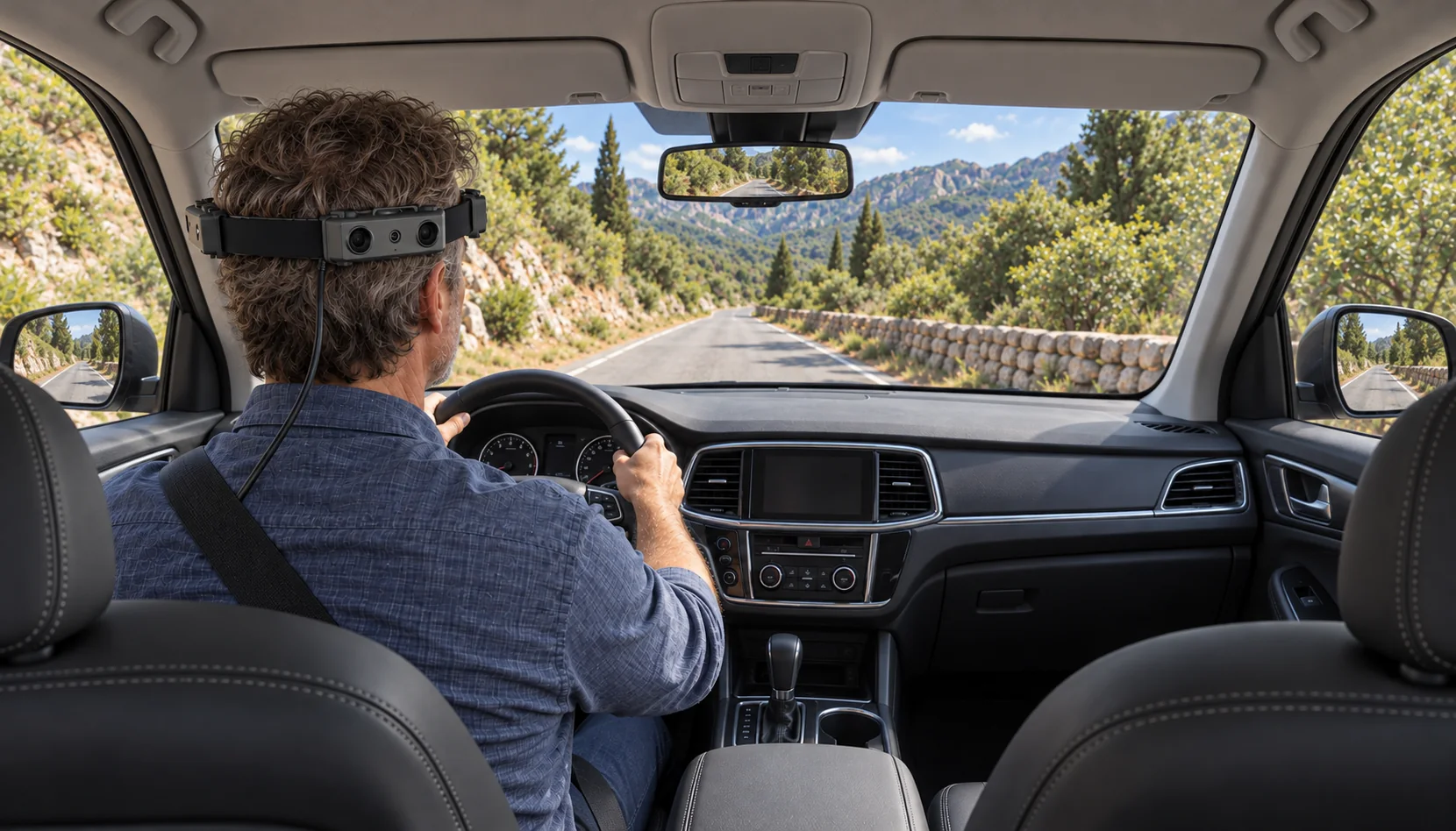
Plan a first-person record of an experienced driver's steering on winding rural roads with EGO R10: 1600 × 1200 at 30 fps, hardware-synchronized cameras and HDR imaging.
How can R10 record human driving operations on rural roads?
- Keep the approach, steering movement and exit from a rural bend in a continuous first-person recording.
- Use 1600 × 1200 at 30 fps and a common hardware trigger/shutter signal for synchronized camera views.
- Document the selected linear or HDR imaging mode; retain 100, 200 or 500 Hz IMU data when the head-unit configuration includes it.
- Have reviewers label visible hand–wheel actions and retain the camera, frame and route references for each interval.
Explore EGO R10 specifications and discuss driving-operation capture
An experienced driver approaching a bend on a country lane brings the road ahead, the steering wheel and a sequence of hand movements into the same driving episode. A head-worn EGO R10 can provide multiple camera views for recording that episode. This article proposes a rural-road collection focused on visible human driving operations: approaching a curve, turning the wheel through the bend and returning it as the road opens ahead. The aim is a reviewable record of the driver's actions and the surrounding scene captured in the images.
Research context for a rural-road recording
Published driving research provides two useful foundations for this collection. Ramanishka and colleagues' CVPR paper, Toward Driving Scene Understanding: A Dataset for Learning Driver Behavior and Causal Reasoning, organizes real driving recordings with human-defined behavior intervals. Wang and colleagues' study, Examining vehicle operating speeds on rural two-lane curves using naturalistic driving data, examines how drivers navigate rural bends. These sources motivate continuous driving episodes and curve-centered review. The proposed R10 workflow uses the camera's own documented specifications for its recording setup. The rural-curve study is available at https://pubmed.ncbi.nlm.nih.gov/29650224/ (DOI: 10.1016/j.aap.2018.03.017).
Organize one bend as a complete driving episode
Begin with a familiar rural route and an experienced driver. Give each selected bend a simple route-note identifier and retain the approach, the turn and the stretch immediately after it in one continuous take. Record the driver identifier, direction of travel and visible lighting conditions in the session notes. Configure the R10 and check the recording while parked, with the headband, external power and cables arranged before departure. Review the files after the drive.
Check the hands, wheel and road in each R10 view
R10 captures 1600 × 1200 images at 30 fps. Its fixed-focus optics have a listed field of view of 180° diagonally, 115° horizontally and 80° vertically. In the parked framing check, have the driver sit in their normal position with both hands on the wheel. Inspect a sample from each camera and note which views include the wheel, hands, windshield or side-window scene. Use those observed views to define the collection. The framing notes should remain attached to the take as the driver's head position changes during the route.
Review steering across synchronized camera views
All R10 cameras share a common hardware trigger or shutter signal. For a bend episode, this supplies synchronized camera observations of the visible steering movement and the scene available to the other views. Keep the camera identities and corresponding frame positions together when preparing review clips. An analyst can then open the relevant views at the same point in the turn and examine the hand movement alongside the road or cabin detail present in those images.
Prepare for sunlight and cabin shadow
A rural drive may move between open sunlight, tree shade and a darker cabin. The supplied R10 imaging table lists a dynamic range of 61.56 dB in linear mode and 91.56 dB in HDR mode, together with automatic exposure and white-balance controls. Include the selected imaging mode in the session log. During the sample review, inspect the bright windshield area, shaded hands and wheel surfaces in the saved footage. This provides a concrete way to choose and document the image settings for the planned route.
Keep head-unit motion with the driving session
For a head unit configured with R10's 6-axis IMU, the documented sampling options are 100, 200 or 500 Hz. The head-mounted unit's motion data can accompany the driving session as the wearer turns or shifts position. Keep the selected sampling rate, unit identifier and take identifier with the inertial files. In this collection, the video remains the material used to mark visible hand-to-wheel actions, while the associated IMU recording preserves motion at the worn unit.
Set up the recording connection and external power
R10 provides USB 2.0 output with MJPG, H.264 and H.265 formats. The supplied power table specifies DC 5 V, a maximum working current of 320 mA and an external battery requirement. Prepare the recording connection and external supply before the route, and include the chosen output format in the take notes. Save a short sample and reopen it on the recording setup before collecting the complete driving episode. At the end of the drive, check that each intended camera file covers the selected bend.
Annotate the driving operations visible in the footage
During review, mark the visible sequence in the R10 footage: the approach to the bend, the first observed turning movement of the wheel, a visible change in hand position and the return movement as the turn finishes. Give every label a start and end frame, the camera used for the observation and a short description of the visible evidence. The research team's annotation guide defines these boundaries. Retaining the original continuous take lets another reviewer revisit the transition and see its road context.
Keep actions and road context easy to review
Keep the driving-operation labels and scene notes as separate fields. For example, one interval can describe a hand repositioning on the wheel, while a scene note identifies a shaded left-hand bend visible ahead. This adapts the cited driving-behavior research's use of explicit action labels to a focused R10 review process. A second reviewer can check the chosen frames and resolve unclear boundaries before the team prepares its final collection of clips.
Build a focused R10 rural-driving collection
Archive each R10 session with the original camera files, camera-view notes, selected recording mode, external-power setup notes and human-reviewed action intervals. Include the head-unit IMU files and selected rate when that configuration is used. Organizing the material by route, driver and bend keeps the recorded operations connected to the circumstances in which they appear. Start with one short rural-road session, inspect the saved views and discuss the required R10 configuration with the EGO team before expanding the collection.
Research sources and R10 specifications
Explore EGO R10 specifications and discuss driving-operation capture