
Retail Shelf Replenishment / Original EGO R8 retail workflow guide based on the 2026 manufacturer specification / Sep 16, 2026
From Stock Cart to Shelf: Small-Store Replenishment Capture with EGO R8
Follow a small-store replenishment round from stock-cart selection to shelf placement and final facing. EGO R8 brings dual global-shutter stereo capture, hardware synchronization, selectable IMU rates, and unified timestamps to a first-person recording of the work.
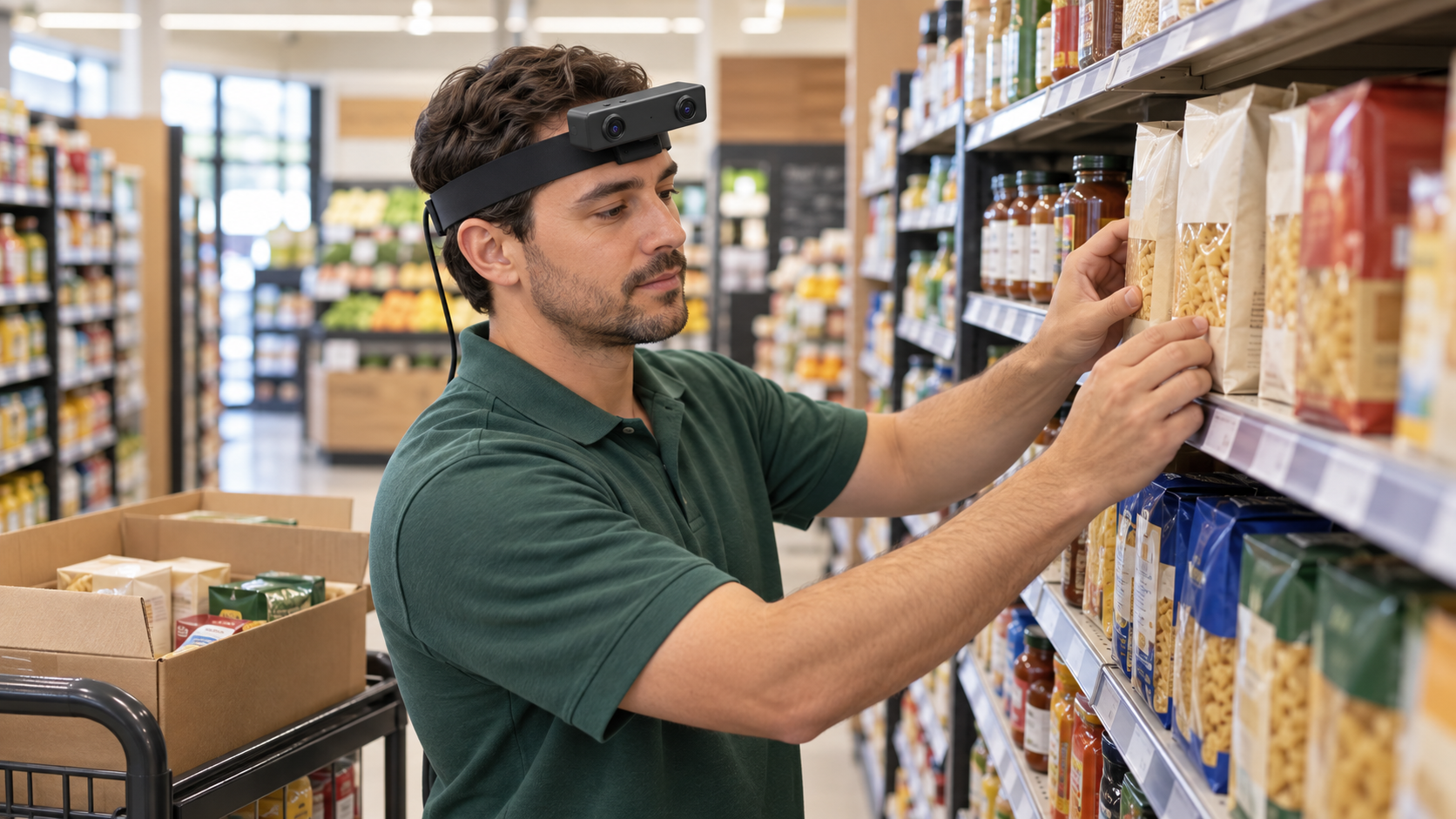
In a small retail shop or compact supermarket, a replenishment round moves between a stock cart and several shelf levels. An employee selects a pack, checks the intended shelf position, places the item, turns its front toward the aisle, and brings the row forward. Worn on the head, EGO R8 records this sequence from the employee’s perspective while leaving both hands available for handling goods.
Start with one shelf bay and a short, repeatable task: inspect the starting arrangement, select goods from the cart, replenish the chosen row, align the package fronts, and review the finished shelf. Include a brief view of the shelf before and after the work. During a trial recording, adjust the R8 wearing angle so the hands, selected goods, and placement area are visible at the shelf heights used in the session.
R8 uses two global-shutter cameras, with all pixels in each sensor exposed simultaneously. This capture characteristic is relevant when a hand moves a carton across the view or the wearer turns from the cart toward the shelf. Review representative frames of picking, lifting, and placing goods under the shop’s actual lighting before recording a complete replenishment round.
The two R8 cameras share a common hardware trigger or shutter signal for synchronized stereo capture. When an item moves into a shelf row, the paired left and right views provide a synchronized image record of the placement. Keep both streams together through recording and review so each action can be examined as a stereo pair.
R8 integrates a 6-axis IMU with selectable sampling at 100, 200, or 500 Hz. Choose and record the IMU setting for the session. Unified timestamps for camera frames and IMU samples provide a shared timeline for reviewing the images alongside the wearer’s motion as they look down at the cart, turn toward the shelf, and pause to inspect the finished row.
The manufacturer’s main camera table lists 1600 by 1200 at 30 FPS. Its separate USB mode table lists MJPG at 1920 by 1080 and 30 FPS, YUY2 at 1920 by 1080 and 15 FPS, and either format at 1280 by 720 or 640 by 480 and 30 FPS. Confirm the delivered video configuration against these separate tables, then retain the selected resolution, format, and frame rate with the retail recording.
R8’s per-unit calibration support covers camera intrinsics, distortion coefficients, and stereo extrinsics where applicable. Store the supplied calibration files with the device identifier and selected capture mode. This keeps each shelf-replenishment recording associated with the calibration information for the R8 unit used to collect it.
For the USB capture setup, R8 is specified for USB 2.0, a 5 V supply, and a maximum current of 320 mA. Arrange the capture-host connection and cable route for the short cart-to-shelf working area before the session. The manufacturer also lists SDK/API provision for integrating R8 into a project’s recording workflow.
During review, an operator can mark visible events on the recording timeline: item selected, shelf approached, placement started, item released, front aligned, row brought forward, and shelf review completed. Keep the shelf-bay reference and task description with each take. These manually prepared labels make it easier to find the R8 image pairs for a particular handling step.
Finish the pilot by checking the opening shelf view, the complete pick-and-place sequence, and the final arrangement. Review stereo-pair continuity, timestamp order, the recorded IMU setting, and the attached calibration files. The resulting R8 recording brings the visible shelf work and synchronized motion samples together in a traceable first-person record of small-store replenishment.