
Stereo Visual-Inertial Research / ORB-SLAM3 research and EGO R8 product specifications / Nov 6, 2026
Stereo Camera with IMU: R8 Session Design for Visual-Inertial Research
Plan stereo camera with IMU sessions using EGO R8: paired global-shutter images, shared timing and calibration records for visual-inertial research.
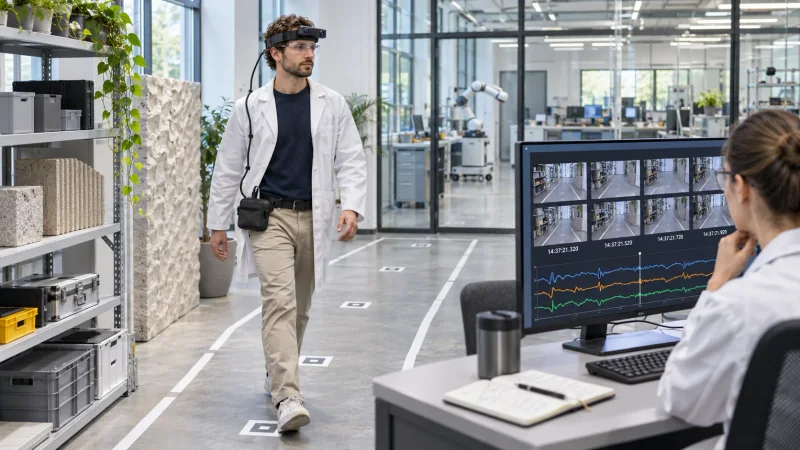
How can R8 support a visual-inertial capture session?
- Plan each session around paired R8 images, inertial samples and their unified timestamps.
- Record the selected IMU rate and preserve calibration information associated with the unit.
- Review stream continuity and package the session with its capture settings for the research team.
A stereo camera with IMU provides a useful starting point for visual-inertial research when the team can connect images, motion samples and the configuration that produced them. EGO R8 combines head-mounted stereo capture with a six-axis IMU and unified timestamps. This guide focuses on planning an R8 recording session and handing its data to the people who will analyze it.
Define the session before recording
Give each session a unique identifier and write down the intended route, capture host and R8 unit. For a spatial research recording, plan an opening, a sequence of deliberate head and body movement through the workspace, and a closing interval. A brief pilot gives the team a chance to inspect the visible scene and choose a capture profile before collecting the full session.
The R8 uses two global-shutter cameras and a common hardware trigger or shutter signal. Retain the left and right images as a pair, in capture order, together with the timing information provided for the session. The pair relationship is useful when the research team later examines the same moment from both sensors.
Connect synchronized stereo and inertial observations
R8 also includes a six-axis IMU with selectable 100, 200 or 500 Hz sampling. Choose the rate for the project and record the setting in the session notes. Unified timestamps connect image and inertial samples on the same timeline; retain those values when making review copies so the analyst can trace a selected observation back to its capture record.
The ORB-SLAM3 research paper illustrates why stereo images and inertial measurements are meaningful inputs to visual-inertial SLAM. It describes a research system and its own experiments; the practical R8 session design here is an independent capture workflow based on the R8 specification.
Preserve calibration and configuration
Associate the available per-unit calibration information with the device and session. The R8 product information describes intrinsics, distortion coefficients and stereo extrinsics where applicable. Keep the calibration files supplied for the configuration together with the session identifier, chosen video profile and device information, so a later analysis can find the corresponding records.
R8 connects over USB 2.0 and uses a 5 V supply. Before the session, confirm the delivered video mode and recording configuration with the supplier: the main camera table and USB mode table describe different entries. Note the selected profile alongside the IMU rate instead of treating a table entry as a universal configuration.
Review the handoff before analysis
At review, inspect the beginning and end of each stream, sample several paired images throughout the route, and check the recorded timing sequence. Reviewers can note interruptions, blurred passages or obscured views against the session timeline. Keep the original capture and review notes separately, and document any intervals selected for later analysis.
A useful handoff contains the source image streams, IMU samples, timestamps, the available calibration information and a short manifest describing the unit and settings. Research teams can then organize sessions into development and evaluation sets and run their own visual-inertial processing with an explicit record of the capture setup.
What does hardware synchronization contribute?
The common hardware trigger coordinates the two R8 image sensors; retaining the paired images and their timing lets reviewers inspect corresponding observations.
Which IMU rate should the team record?
The documented options are 100, 200 and 500 Hz. Select the setting for the collection and record it with that session.
What should accompany the images?
Keep the timing, selected settings and applicable per-unit calibration information with the original files. These records give researchers context for subsequent processing.