
Surgical Skills Research Data / Original EGO R9 guide; Gazis et al. research reference / Sep 30, 2026
Synchronized First-Person Capture for Surgical Skill Research with EGO R9
Organize R9 recordings for surgical skills research using global-shutter video, shared timing, a 6-axis IMU above 200 Hz and expert-reviewed training attempts.
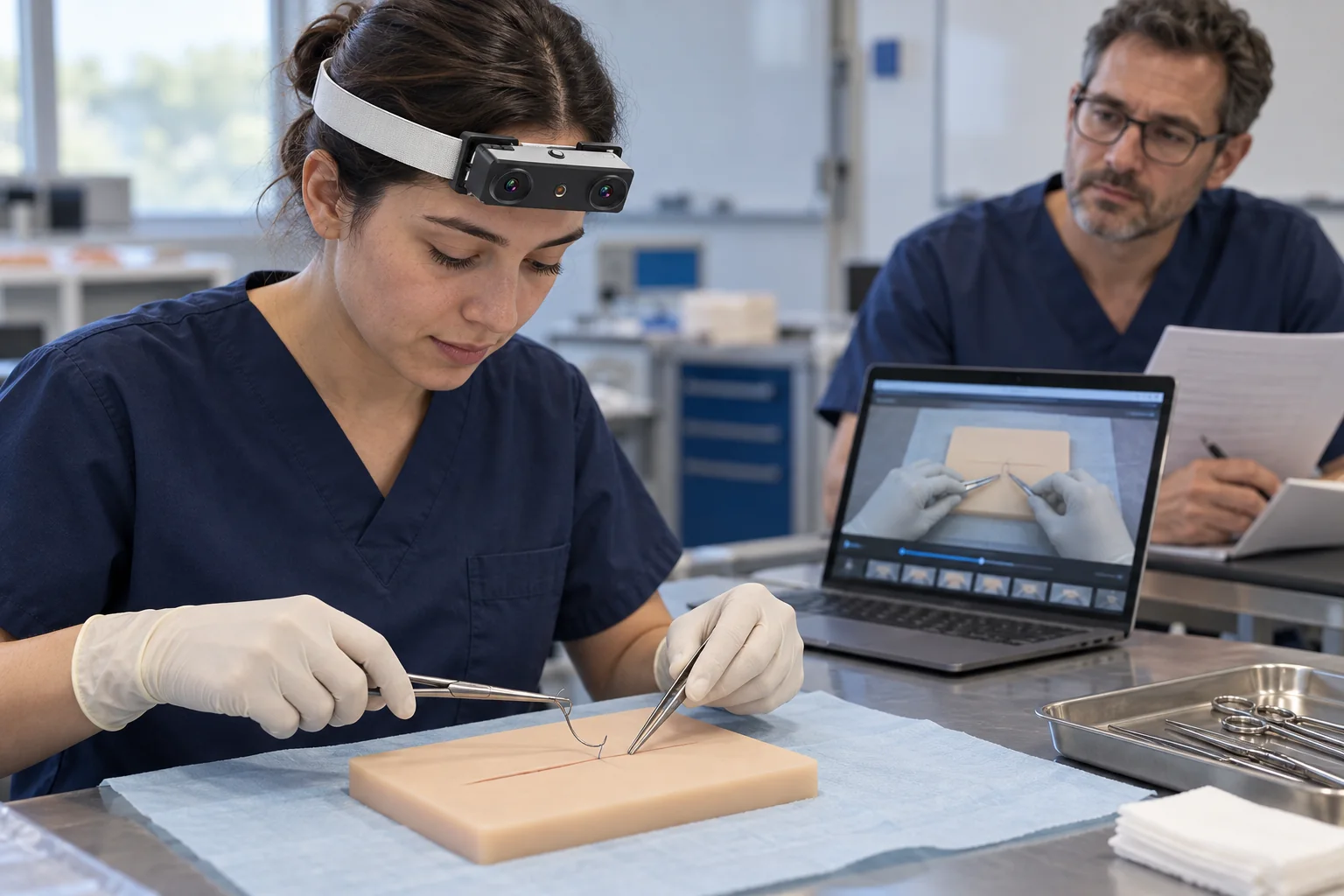
How can R9 recordings support a surgical skills study?
- Record clearly identified training attempts with R9’s 1080P, 30 fps global-shutter configuration; 60 fps is optional.
- Use the adjustable camera angle and 120° wide-angle lens to frame the practice area.
- Retain shared-clock and global-timestamp information with the 6-axis IMU data sampled above 200 Hz.
- Link expert ratings and reviewed task intervals to the original R9 recording and its capture configuration.
A surgical skills study needs a clear relationship between the attempt a trainee performed, the video an expert reviewed and the score stored in the research dataset. EGO R9 can provide first-person recordings for that process through global-shutter video, shared-clock and global-timestamp support, and a 6-axis IMU. This guide proposes a recording and review workflow for structured suturing or knot-tying practice. Its focus is an identifiable training attempt with a consistent evidence trail from capture to expert review.
Build the recording plan around a defined training task
Gazis and colleagues studied egocentric video from knot tying, continuous suturing and interrupted suturing in research published online in 2025 and in the February 2026 journal issue. Two experts assessed each video using a modified OSATS scale. Those documented tasks and expert ratings provide the application basis for this R9 guide. Select one task and write the study’s task definition before recording; retain that definition with the attempt identifier, participant code and recording file.
Give every attempt its own review identity
For a practice session recorded with R9, assign each attempt a unique identifier and retain the complete source footage. During review, mark the interval corresponding to the defined task and document the chosen start and end events. If an expert examines a shorter excerpt, keep its frame or time range tied to that full recording. A training session may then contain several separately identifiable attempts, each with its own review record and capture settings.
Frame the practice area consistently
R9 combines an adjustable camera angle with a 120° wide-angle lens. At a suturing practice station, use a sample recording to choose an angle showing the trainee’s hands, instruments and working area. Keep a representative frame with the session record, then check the view again when the wearer changes posture or the headset is refitted. The practical question is whether the video contains the actions the study asks its reviewers to assess.
Keep the selected imaging mode with the rating record
The documented R9 video mode is 1080P at 30 fps, with 60 fps available as an optional configuration. R9 also specifies a global shutter. Record the actual frame rate with each attempt and present reviewers with footage prepared from that mode. Inspect representative moments of instrument repositioning and hand movement in the saved video. When the team changes playback speed or extracts frames for review, preserve the original file and document the presentation settings alongside the rating record.
Preserve a common reference for video and wearer motion
R9 supports a shared unified clock and global timestamps. Its 6-axis IMU has a listed sampling rate above 200 Hz. Keep the recorded timing information and inertial samples associated with the same attempt as the video. A researcher can use the original time reference when selecting the samples corresponding to a reviewed interval, retaining motion observations from the head-worn unit as the trainee adjusts posture. Store the interval mapping with the excerpt so later analysis can return to the same recorded period.
Keep expert judgments connected to the footage
Create a separate review record for each expert and each R9 attempt. Store the task definition, rating scale version, reviewed interval and comments with the expert’s entries. If the research protocol produces a consensus rating, retain its relationship to the individual reviews. The cited study identifies multi-rater ground truth as a meaningful part of skill-assessment research. In this proposed R9 workflow, the experts and study team create the ratings, while the recording identifiers connect their judgments to the video evidence.
Retain camera information when preparing review clips
R9 lists camera-intrinsics support. Keep the supplied camera information with the selected unit and recording mode, especially when the research team resizes or crops frames for an analysis. Store the preparation settings and original image dimensions with the attempt. A reviewer using a close view of the practice area and a researcher using the full frame can then trace both versions back to the same R9 source recording.
Archive the attempt, timing and reviews together
R9 records MP4 video with H.265 encoding and supports T-Flash storage, a Type-C USB interface and an external battery. Prepare the selected recording arrangement for the planned practice session, then check a copied sample in the review software. Archive the source video, associated time and inertial records, attempt identifier, task definition and expert review files together. Verify that each excerpt and rating opens the intended attempt before the team prepares a research subset.
Pilot the complete review process
A useful R9 pilot ends with an attempt that can be located, replayed and matched to its review record. Check the selected camera angle, video mode, timing association and archive organization as one workflow. Use that pilot to specify the R9 configuration and recording deliverables with the EGO product team. The subsequent study can then organize its training footage and expert assessments around a consistent, documented source of first-person visual and motion data.