
Laboratory Calibration & Testing / Original EGO R8 laboratory calibration guide based on the 2026 R8 specification / Sep 15, 2026
Calibrate, Move, Repeat: Visual-Inertial Laboratory Trials with EGO R8
Repeatable calibration-bench movements expose timing, pairing, distortion, and data-continuity problems before a field study begins. This R8 guide turns a non-clinical laboratory setup into a structured stereo and IMU acceptance workflow.
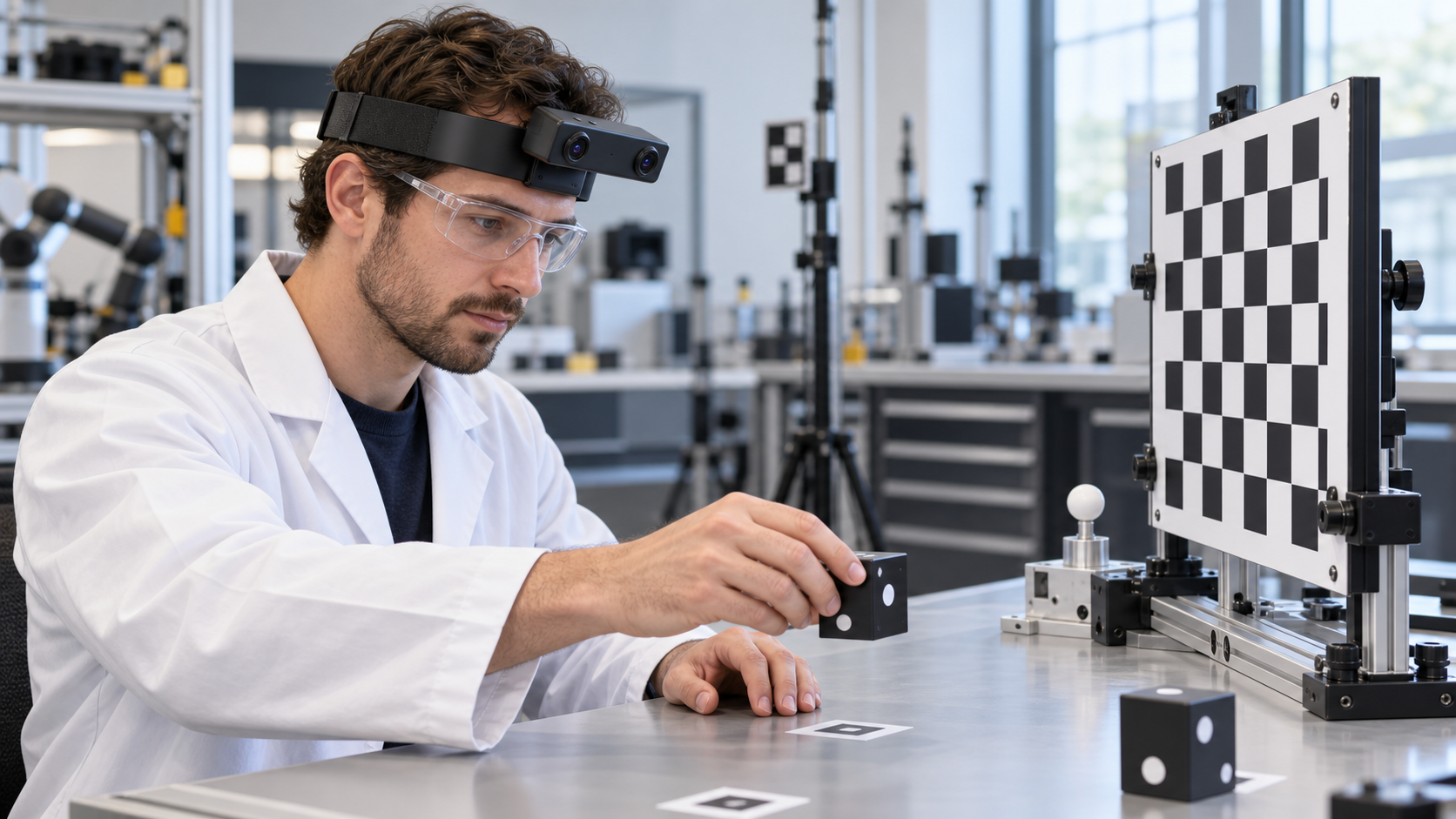
A researcher moves a matte target between known bench positions, pauses in front of a checkerboard, turns toward a second fixture, and repeats the path. The activity looks simple, but it can expose frame-pairing errors, motion artifacts, inconsistent timestamps, and calibration-file mistakes before a larger dataset is collected. EGO R8 can record this visual-inertial sequence from the wearer's perspective while the laboratory keeps control of the reference setup and ground truth.
In this non-clinical robotics or optical calibration-bench setting, targets, marked positions, and repeatable trajectories are arranged for engineering acceptance checks. The operator moves through the defined sequence while EGO R8 records synchronized first-person stereo video and inertial data for later review.
Define the trial before recording. Mark three or four permitted object positions, specify the order of reaches and head turns, fix the lighting, and record the expected number of repetitions. Capture a stationary interval at the start and end so reviewers have a clear reference for continuity and drift checks.
R8's two global-shutter cameras use fixed focus and the specification lists a 1/2.6-inch sensor with 3.0-micrometre pixels. Documented fields of view are 180 degrees diagonal, 115 degrees horizontal, and 80 degrees vertical. Set the head angle so the near object, both hands, and enough of the checkerboard remain visible throughout the path.
The main table lists 1600 by 1200 at 30 FPS. Global shutter reduces rolling-shutter geometric skew during fast target movement and head rotation, making it useful for comparing motion sequences. Test slow, normal, and brisk movements, then inspect individual frames for edge shape, illumination consistency, clipped highlights, and moments when the hand blocks the target.
The USB table lists a separate set of modes: MJPG 1920 by 1080 at 30 FPS, YUY2 1920 by 1080 at 15 FPS, and MJPG or YUY2 at 1280 by 720 and 640 by 480 at 30 FPS. Confirm the applicable mode on the delivered firmware rather than combining entries from different tables. Record codec, resolution, frame rate, dual-camera behavior, host controller, and cable configuration with every test so two runs can be compared honestly.
The specification describes a common hardware trigger or shutter signal for the stereo cameras. Verify synchronization with a target that changes position within a short interval and review the left and right identifiers or timestamps supplied by the integration. Record paired-frame continuity, ordering, and the measured synchronization result for the delivered configuration.
R8's built-in 6-axis IMU supports listed sampling choices of 100, 200, and 500 Hz, with unified timestamps across camera frames and inertial samples. Run the same motion pattern at each intended rate and inspect timestamp monotonicity, actual sample intervals, dropped packets, units, axes, and stationary bias. Measure camera-to-IMU timing in the connected system.
EGO R8 provides per-unit calibration support for camera intrinsics, distortion coefficients, and stereo extrinsics where applicable. Preserve each original calibration package, associate it with the correct R8 physical unit and firmware, and store a checksum with the test record. Applying the matched R8 calibration data to sample frames supports consistent processing across the image, including the wide-angle edge regions. Record the calibration-file version, device identifier, firmware, capture mode, and checksum so every stereo sequence remains traceable and repeatable throughout the laboratory workflow.
Build the R8 review dataset around observable events: stationary start, target lifted, position reached, dwell completed, turn started, second fixture viewed, return path completed, and stationary end. Use R8's unified timestamps to align the paired global-shutter camera frames with 6-axis IMU samples at every event boundary. Store event labels, frame ranges, IMU sample ranges, dwell durations, visibility, and occlusion in a single review manifest so the complete first-person sequence can be inspected consistently from capture through analysis.
The interface is documented as USB 2.0 at 5 V with a maximum current of 320 mA. Stress the selected host port with the intended two-camera stream and IMU rate, monitor frame and packet continuity, and rehearse recovery from a controlled cable interruption using disposable data. The source document says an SDK and API can be provided; confirm operating systems, frame access, IMU packet fields, timestamps, calibration delivery, buffering, and error reporting before integration.
The trial passes when repeated runs produce correctly paired image streams, continuous IMU packets, monotonic unified timestamps, traceable calibration files, and complete evidence for the defined motion sequence. R8's dual global-shutter cameras, selectable 100, 200, or 500 Hz IMU, hardware trigger, per-unit calibration support, and USB 2.0 interface are the central acceptance points.